AI Ghost Mannequin — Automated Mannequin Removal for Apparel at Studio Scale
Autophoto removes mannequins from garment images automatically using AI — as a pipeline task that runs across batches of up to 5,000+ images at once. It detects mannequin images automatically in a mixed batch, routes them to the correct pipeline, and delivers cleaned garment outputs in your format, folder structure, and naming convention — without touching a single file manually.
Ghost mannequin in Autophoto is not a standalone editor you open image by image. It is a task inside a configurable pipeline — which means it runs automatically, consistently, at volume, every time you upload a batch.
Last updated: April 2026
What ghost mannequin photography is — and why studios automate it
Ghost mannequin photography (also called invisible mannequin or hollow man photography) is the standard post-production technique in fashion ecommerce for presenting garments without a visible mannequin or model.
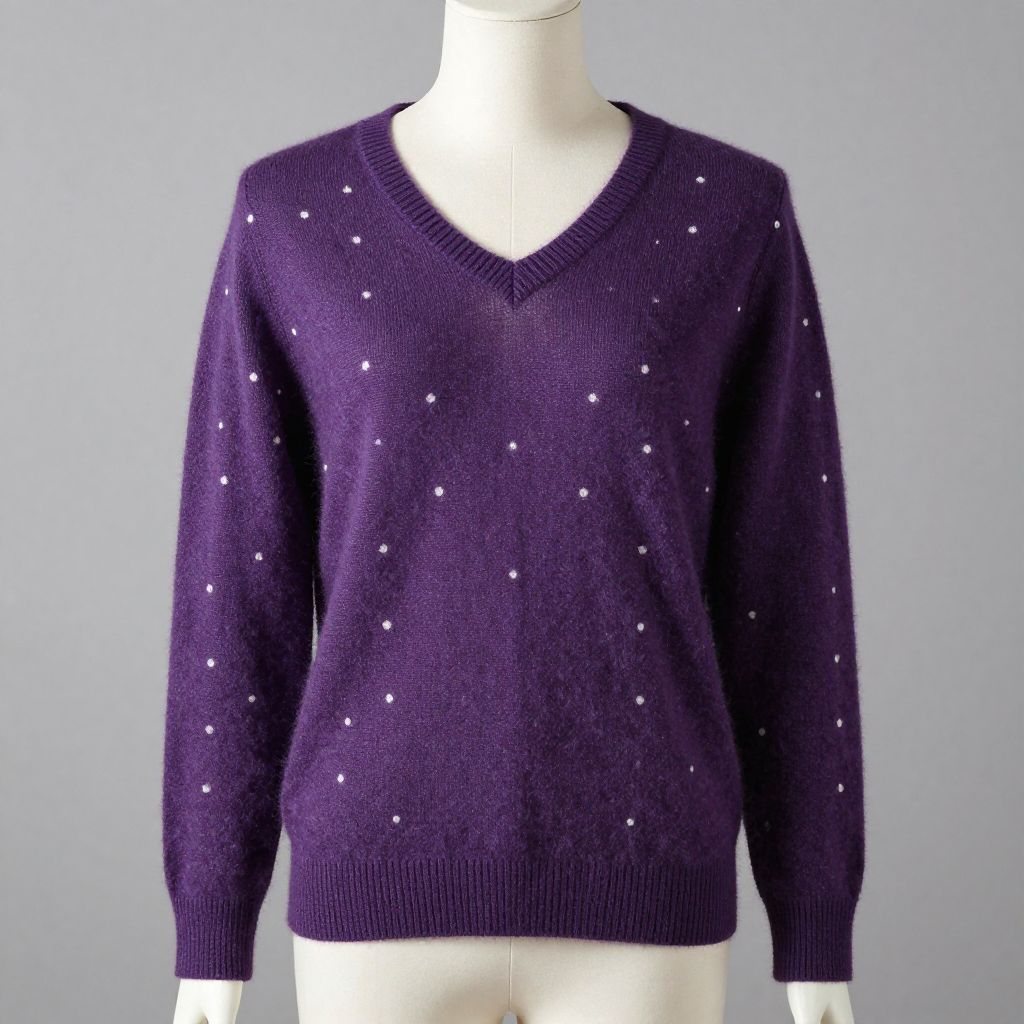
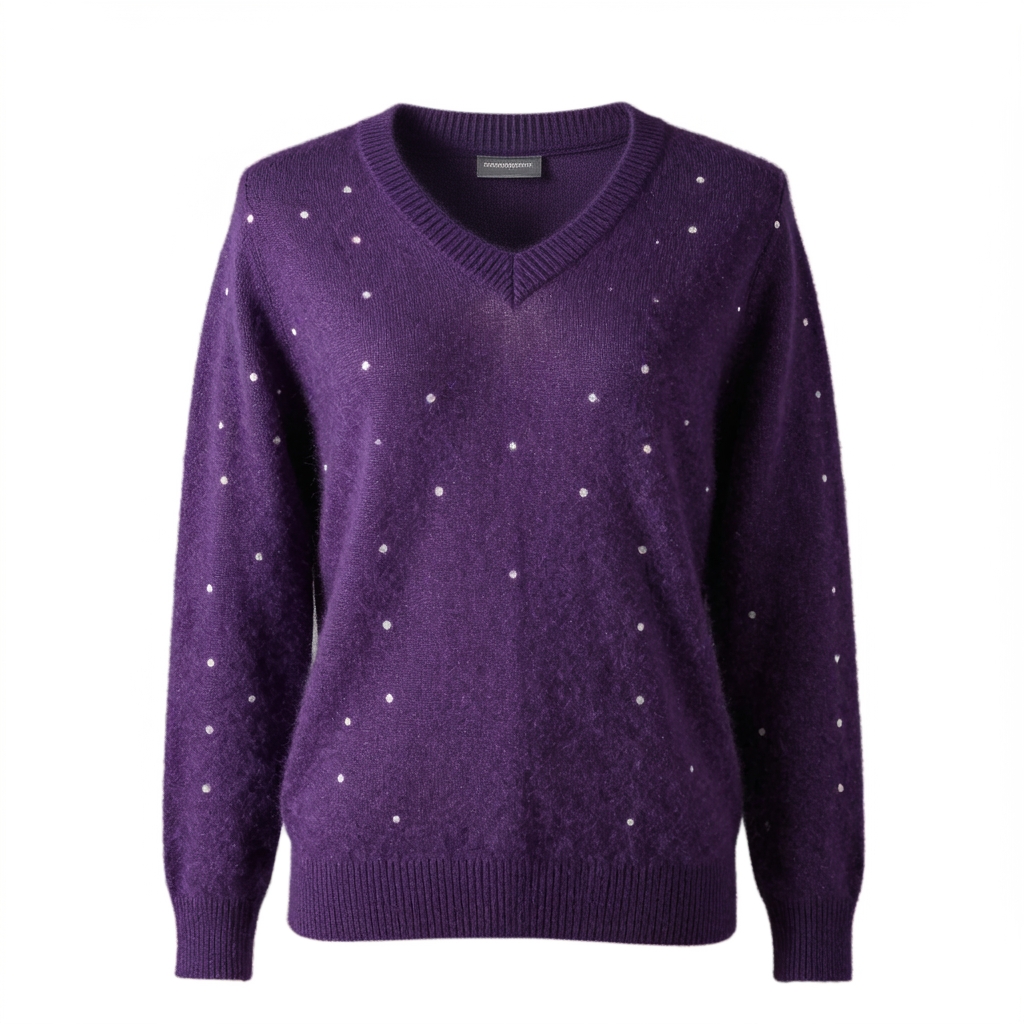
Ghost mannequin accounts for roughly 25% of all apparel images on ecommerce platforms. For a studio shooting 300 garments per day, that means 75 mannequin-removal edits — every single day — before the product can go live. At 10–30 minutes per image in Photoshop, or $1.50–$3.00 per image outsourced, mannequin removal is one of the largest repeatable costs in apparel post-production.
Autophoto’s AI handles it automatically. The mannequin is detected, removed, and the garment reconstructed — inside your pipeline, at batch scale, in seconds per image.
What mannequin removal actually costs at production scale
Two standard approaches dominate studio workflows today — both with the same ceiling problem.
Manual Photoshop
A competent retoucher takes 10–20 minutes per image for clean mannequin removal, including selection, removal, and garment reconstruction. For a studio processing 200 mannequin images per day, that is 33–67 hours of retoucher time — per day.
Output is as good as the retoucher’s current shift. Quality shifts between operators, between sessions, between days.
Outsourced editing services
Per-image pricing from editing bureaus sits at $1.50–$3.00 per ghost mannequin image. For 200 images per day, that is $300–$600 daily — $6,000–$12,000 per month — for one task. With a 24–48 hour turnaround before images are available for review and upload.
Shoot on Monday. Publish Wednesday at the earliest.
What Autophoto’s mannequin removal does to your images
When mannequin removal runs on an image in your pipeline, the AI works through a precise sequence — automatically, on every image routed to that deliverable.
- Detects mannequin within the frame — body, arms, stand, and neck area
- Separates mannequin from garment using edge-aware detection trained on studio apparel photography
- Removes mannequin and reconstructs the garment — preserving collar shape, neckline, and visible interior
- Preserves fabric texture, stitching detail, and garment structure throughout
- Handles front, back, and side shots as separate individual images through the same pipeline
- Works across tops, shirts, blouses, jackets, outerwear, dresses, knitwear, jersey, and tailoring
- Processes against standard studio backgrounds — white, grey, seamless paper
- Outputs to JPG, PNG (transparent), WebP, TIF, PSD with layers
- Delivers to your original folder structure, with original filenames intact
- Delivers to your original folder structure, with your original filenames intact
Garment types it handles
Tops and upper garments
T-shirts, shirts, blouses, knitwear, sweatshirts, hoodies — full collar and neckline reconstruction included.
Outerwear and structured pieces
Jackets, blazers, coats — lapels, collar detail, and shoulder structure preserved through the removal.
Full-length garments
Dresses, jumpsuits, and one-piece garments — full mannequin body removed with garment silhouette intact.
The thing that separates Autophoto from every other ghost mannequin tool
Every other AI ghost mannequin tool — WearView, Photta, PixFocal, Photoroom, autoRetouch — is a standalone editor. You open it, process images, download results. That is the beginning and end of the workflow. Autophoto is a pipeline.
AI shot-type detection — no sorting, no tagging
Upload a mixed batch of mannequin shots, model shots, and flat-lays all together. Autophoto’s AI detects the shot type of every image and routes each one to the correct pipeline rules automatically. Mannequin removal only fires on images that actually contain a mannequin. Zero manual file sorting.
Multiple outputs from one upload
Your mannequin images can produce a white-background JPG for your website, a transparent PNG for your design team, and a layered PSD for your archive — all from the same batch. Mannequin removal runs once and all three exports are generated — one charge per image regardless of format count.
Stack with other tasks in the same pipeline
Mannequin removal plus background removal plus natural shadow plus landmark crop can all run in a single pipeline on a single batch. Each task is charged once per image. The result is a clean, cropped, shadowed, format-ready garment image — delivered to your folder structure in one automated run.
Meta rules — route by file name or folder name
Need mannequin removal to only run on images in the “mannequin” folder, or only on files whose name contains “MNQ”? Set that as a meta rule. Your naming conventions become routing logic — no manual separation required.
Built for teams that photograph garments at volume, every day
Not for someone editing 10 images per week. Designed for operations where mannequin removal runs every day at scale.
Ecommerce photo studios
Shooting 100–2,000 garments per day for fashion clients. Post-production currently involves retouchers handling mannequin removal manually, or an outsourcing budget that scales painfully with volume. Autophoto replaces that with a pipeline that runs the same night the shoot wraps.
Solo Studio $199/mo · Small Studio $399/moFashion and apparel brands
Photographing seasonal collections internally. Multiple shot types per SKU — on-mannequin, on-model, flat. Different outputs needed for website, marketplace, catalog, and design team. Autophoto processes all shot types from one upload and delivers each to the right folder.
Small Studio or Content House depending on volumeCatalog and marketplace operations
Receiving image batches from multiple suppliers and internal studios, some shot on mannequins, some not. Autophoto detects which images need mannequin removal and processes only those — the rest route to their own rules untouched.
Enterprise — custom pricing for high volumesMulti-brand operations
Managing image production for multiple brands with different background requirements, cropping specs, and output formats. Set a separate pipeline per brand — Autophoto handles which images go where based on folder name or file name rules, with no manual routing.
Content House $899/mo · 150,000 tokensHow Autophoto compares to other AI ghost mannequin tools
There are several capable AI ghost mannequin tools in the market. Here is how they actually differ — and where Autophoto’s approach is genuinely different.
| Tool | What it does well | Where Autophoto is different |
|---|---|---|
| Photta | Single-image ghost mannequin from flat-lays and mannequin shots. Clean collar reconstruction. Strong for individual sellers and small brands. Per-image credits, 4 credits per image. | No pipeline. No conditional routing. No mixed-batch AI detection. Processes images one session at a time — not inside an automated workflow alongside other editing tasks. |
| WearView | Consumer-focused ghost mannequin from flat-lays, hangers, mannequins. Works without an actual mannequin in the shot. Good for small catalogs on Shopify and Amazon. | Consumer tool — no pipeline, no batch routing, no folder structure preservation, no PSD layer export, no integration with other editing tasks. Not built for studio volumes. |
| PixFocal | Flat-rate monthly pricing with unlimited processing. Same-day 1–3 hour turnaround. Good for high-volume sellers who want predictable costs. | No pipeline logic. No AI shot-type detection across a mixed batch. No conditional rules. No background removal, shadow, or crop in the same automated run. No API or SFTP. |
| Photoroom | Broad product photography toolkit — background removal, ghost mannequin, scene generation, batch editing. Strong consumer and SMB product. API available. | Ghost mannequin is one feature in a general editor. No conditional pipeline routing across mixed batches. Folder structure not preserved. No PSD with layers. Consumer-scale batch ceiling. |
| autoRetouch | Workflow-based automation, closest in concept to Autophoto. Ghost mannequin, background removal, skin retouching in configurable workflows. Fashion-specific. API available. | Batch size limited to ~100 images simultaneously vs Autophoto’s 5,000+. Annual commitment required. No meta/filename routing rules. Minimum volume threshold excludes smaller studios. |
| ✦ Autophoto | Pipeline-driven ghost mannequin removal at 5,000+ image batch scale. AI detection routes mannequin images automatically from mixed uploads. Stacks with background removal, shadow, crop, and export in one run. Folder structure preserved. PSD with layers. Meta rules. API + SFTP. Monthly plans from $35. | |
Frequently asked questions about AI ghost mannequin on Autophoto
Ghost mannequin photography (also called invisible mannequin or hollow man photography) is the technique of photographing a garment on a mannequin and then digitally removing the mannequin in post-production. The result shows the garment in its natural 3D shape — displaying fit, drape, and collar detail — without a visible mannequin in the frame. It is the standard presentation format for apparel ecommerce.
Mannequin removal is a task you add to a pipeline deliverable. Once configured, it runs automatically on every image routed to that deliverable — detected by AI shot type or file/folder name rules. You upload your batch, the AI identifies which images contain mannequins, and removal runs on those images without any manual input.
Yes. Autophoto’s AI detects the shot type of every image in the batch — on-mannequin, on-model, flat-lay. Each type routes to its own pipeline deliverable with its own rules. Mannequin removal only runs on mannequin images. No sorting before uploading is required.
Mannequin removal costs 23 tokens per image — charged once per image, not per export format. If one image produces a JPG, a PNG, and a PSD from the same pipeline run, the mannequin removal is still 23 tokens, not 69. Token cost per unit ranges from $0.014 (Sampler plan) to $0.004 (AutoFactory annual) depending on your plan.
Yes. Both tasks can be configured inside the same deliverable. Mannequin removal fires first, then background removal removes the studio backdrop — outputting a clean floating garment. Each task is charged separately: 23 tokens for mannequin removal plus 2 tokens for background removal. All other exports from that image are free.
Tops, shirts, blouses, knitwear, jackets, outerwear, blazers, dresses, jumpsuits, and one-piece garments photographed on standard studio mannequins. Front, back, and side shots are each processed as individual images through the same pipeline. The AI preserves collar shape, neckline detail, fabric texture, and garment structure throughout removal.
Yes. Autophoto delivers exported images in the same folder hierarchy as your upload, with original file names intact. Deliverables are sorted into their own output folders by pipeline logic — your original structure beneath that is preserved exactly.
Photta and WearView are standalone ghost mannequin editors — you process images in sessions and download results. Autophoto is a pipeline: mannequin removal runs automatically inside a configured workflow alongside background removal, shadow generation, cropping, and format export — at up to 5,000 images per batch.
Yes. Every processed image has a before/after preview inside Autophoto. You can zoom in, toggle layers, rate images with a like/dislike system, and make per-image corrections in the built-in online editor — all before downloading. No external software needed for corrections.
200 free tokens to start
Build your ghost mannequin pipeline and run a real batch before spending anything. Every new account starts with 200 tokens — enough to process your first batch and see exactly what your workflow produces.
Related pipeline tasks
Background removal · Natural shadow · Landmark cropping · Multi-format export
Compare
Autophoto vs autoRetouch · Autophoto vs Photta · Autophoto vs WearView
High volume?
Processing 50,000+ garment images per month? Talk to the team about enterprise pipeline setup and custom pricing.