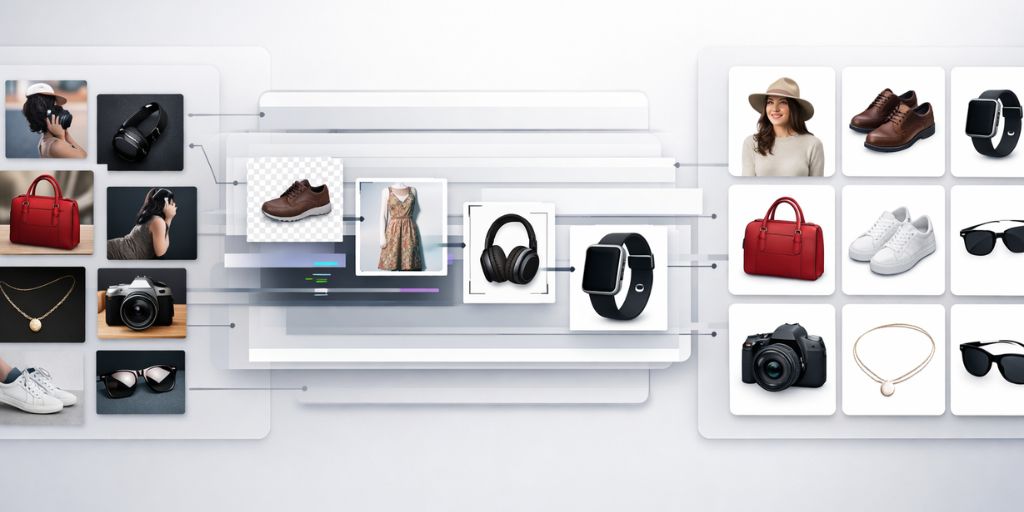
Last year, our product catalog crossed 4,000 SKUs right before a seasonal launch. Thousands of images. Multiple platforms. Different format requirements. One fixed deadline.
We already had a workflow in place but scale exposes gaps. So I tested the major bulk image editing software tools available in 2026, not for a roundup but to see how they hold up in real ecommerce conditions.
Most reviews stop at features. They cover AI backgrounds, batch limits and templates, then call it a verdict. What they skip is what actually costs teams time: pre-sorting images, running separate jobs for different platform specs, fixing compliance errors and re-exporting the same batch multiple times.
I tested eight tools with 300 mixed product images, evaluating output quality, batch capacity, automation logic and true cost at scale.
Here is what I found.
Table of Contents
How I Tested These Image Editing Software Tools
I ran 300 test images through each platform. The batch included on-model apparel shots, flatlay products, transparent packaging, reflective footwear and lifestyle backgrounds. These are the image types that expose weaknesses fast.
My five evaluation criteria were:
● Output quality on edge cases
● Batch processing capacity
● Conditional or rule-based routing
● Multi-platform export readiness
● Cost per deliverable at 1,000+ images per month
This approach helped highlight where each image editing software performs well and where it falls short.
Quick Comparison: 8 Bulk Image Editing Software at a Glance
| Tool | Best For | Key Strength | Limitation | Batch Limit | Conditional Logic | Multi Platform Export | Automation | Pricing |
| Autophoto | High-volume pipeline automation | Conditional logic + tagging | Setup takes effort | 5,000+ images | Yes, full rule engine | Yes (Amazon, Shopify, Zalando, WebP, PSD, TIF) | High | Volume-basedtokens |
| Claid | Catalog cleanup + AI scene generation | High-quality AI output | Limited workflow control | API unlimited | Limited | Yes, via API | Medium | Credit-based + API plans |
| Photoroom | Mobile-first sellers, marketplace templates | Simple and fast | Manual at scale | 1,500/mo (Max) | No | Template-based | Low to Medium | Subscription |
| Crop.Photo | Fast crop, resize, retouch | Strong alignment | Limited scope | Bulk | Basic | Yes | Medium | Subscription |
| Zyng AI | Fashion catalog variant generation | Fast processing | Output inconsistency | Thousands of SKUs | Partial | Yes | Medium | Pay-per-image |
| Hypotenuse AI | Full catalog workflow + content stack | Content plus visuals | Not workflow focused | 1,000+/batch | No | Yes, PIM/DAM integration | Medium | Subscription |
| AutoRetouch | Fashion editing, ghost mannequin | Best ghost mannequin | Limited outside niche | 100 web / unlimited API | Partial | Yes, marketplace templates | Medium | Pay-per-image / Volume |
| Pixelz | Premium human retouching | Human QA layer | Slower, higher cost at scale | High-volume | No | Yes | Low | Per Image |
Why Bulk Image Editing Software Matters for Ecommerce in 2026
The ecommerce product photography market was valued at approximately USD 178.1 million in 2026 and is expected to reach USD 478.24 million by 2035, growing at a CAGR of 11.6%.
That growth is driven by one thing i.e. the demand for more product visuals, faster, across more sales channels.
AI image editing was the fastest-growing software category of 2024, with 441% year-over-year growth in listings and traffic, according to G2 data published by Photoroom. For ecommerce teams, this means the tools available today are meaningfully better and more specialized than they were two years ago.
Still, choosing the wrong image editing software does not just slow you down. It creates hidden costs i.e. manual pre-sorting, separate batch jobs per platform, re-exports and compliance fixes that add up to hours every week at scale.
The 8 Best Bulk Image Editing Software Tools, Tested
Autophoto AI
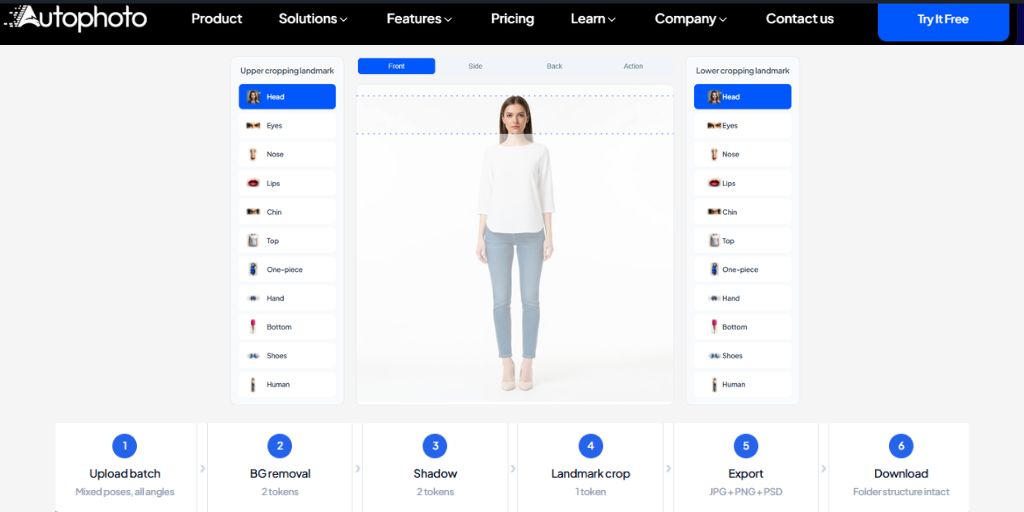
This is the tool that surprised me most and not because of what it does to a single image. It is because of what it does architecturally that none of the other image editing software in this list does as a complete pipeline.
AI Tagging That Actually Drives Workflow
Autophoto’s AI automatically detects and tags key metadata in every product image including shot type (on-model or off-model), human pose (front, side, back, action), frame type (full, portrait, close-up), product category (shoes, dresses, jewellery, bottles, bags) and product angle type.
This tagging is not cosmetic. It feeds a conditional logic engine that routes images to different export settings based on what the AI identifies.
How Conditional Logic Works in Practice
You define rules once. If an image is on-model with a front pose, export it as JPEG at 72 DPI with a white background for Amazon. If it is a flatlay shoe, export it as PNG at 300 DPI with a transparent background and a drop shadow for Shopify. If it is a lifestyle shot, export it as a layered PSD for the internal asset archive.
Every rule runs across your entire batch in a single pipeline. You upload a mixed folder of 1,200 images from a seasonal shoot. The AI tags, routes and exports them into organized folders by deliverable type without manual sorting before or after.
Most tools require you to pre-sort images into folders, run separate batch jobs per output type, then reorganize the exported files. That process, for a team running 3,000+ images per month, costs hours every week. Autophoto removes it.
What Else It Covers
The platform supports multi-format export for all major marketplaces with JPG, PNG, WebP, TIF and PSD outputs including layered files with cutout object, shadow and background layers separated. It also includes body-aware AI cropping using landmark detection across major body parts.
Pricing uses transparent token-based plans. Autophoto Free is a $0/month plan that includes 200 tokens, one batch of up to 25 files. It is followed by sampler, starter till enterprise-custom.
Where it falls short: It’s not really designed for someone working alone. Setting up your first “blueprint” (Autophoto’s saved workflow) can take some time and effort to get right. If you’re used to simple apps where you just tap and export, this one needs more planning and setup at the beginning.
| What I Like | What eCommerce Teams Like |
| Only tool tested with true conditional routing in a single pipeline | Eliminates pre-sort and post-sort steps that cost hours weekly |
| AI tagging automatically classifies every image before export | Amazon, Shopify, Zalando and more specs all handled in one pipeline |
| Layered PSD export with separated cutout, shadow, background layers | Photo studios use it for multi-client, multi-channel delivery |
| Token pricing rewards high volume: one pipeline, multiple deliverables | Scales efficiently past 5,000 images per month without added manual work |
Claid.ai
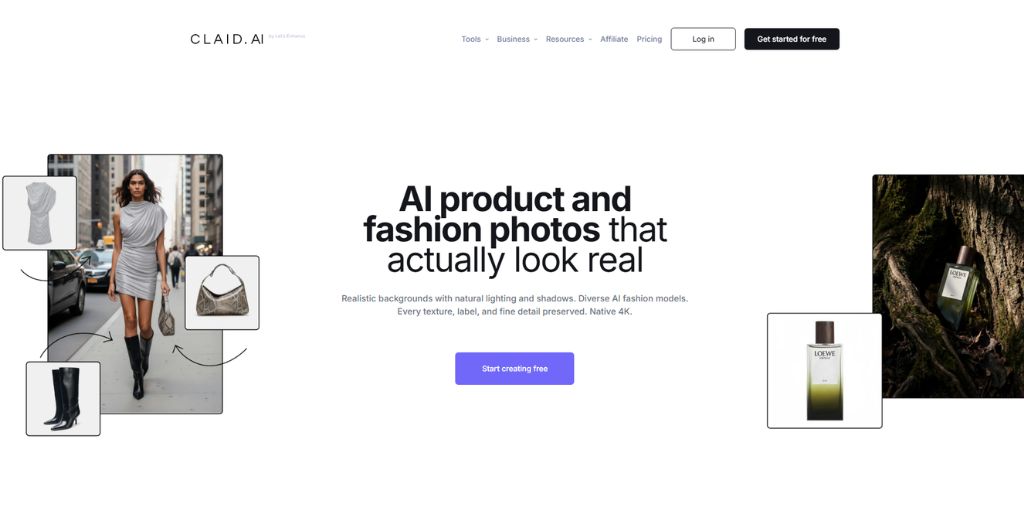
Claid processes thousands of product images automatically through its API. Its enhancement algorithms upscale low-resolution images, correct lighting and color issues and generate backgrounds while maintaining product accuracy.
The AI photoshoot feature is where it stands out. You upload a plain product image and generate lifestyle scenes or catalog-style backgrounds without a studio setup. Background removal handles edge cases, including transparent packaging and products with holes or cutouts, better than most tools in this list.
The Essential plan starts at $9/month (500 credits). The Pro plan is $35/month with 2,000 credits, full feature access, video generation, custom AI models and higher-resolution processing.
Where it falls short: Rule-based logic is basic. If you need different outputs for on-model versus flatlay images, you are running separate batch jobs manually. There is no conditional routing in a single pipeline.
| What I Like | What eCommerce Teams Like |
| Best AI scene and lifestyle generation in the group | Reduces studio costs significantly for mid-size catalogs |
| Handles transparent packaging and cutout products well | Fashion teams use it for on-model shot generation |
| API scales to unlimited images without manual uploads | Strong output consistency across large batches via API |
| Custom AI model training for brand-specific output | Regularly updated marketplace-specific templates |
Photoroom

Photoroom’s batch mode lets you apply edits to multiple images at once. The Pro plan supports 500 images per month, while Max offers 1,500 with higher limits on the Ultra tier. Its mobile app is among the best and template libraries for Amazon, Etsy and Shopify are regularly updated.
The AI engine accurately detects subjects and separates them from complex backgrounds. It can generate lifestyle scenes and realistic model photos with AI. The Virtual Model feature helps apparel brands showcase clothing without hiring models for every SKU, saving costs.
The API Basic plan differs from the standard Pro/Max subscriptions (used for the app/web editor) and starts at around $7.50/month, billed annually. Max and Ultra tiers cost more and include higher batch limits. On the Basic API plan ($20), using Plus features like AI backgrounds incurs a higher rate of $0.10 per image.
Where it falls short: The monthly batch ceiling becomes a problem fast for teams with thousands of SKUs. There is no conditional logic engine. Pricing at scale is not efficient compared to pipeline-oriented tools
| What I Like | What eCommerce Teams Like |
| Best mobile app experience in this category | Solo sellers and small teams find it the easiest to start with |
| Virtual Model feature cuts per-SKU photography costs | Consistent output for simple background removal tasks |
| One-click marketplace templates for Amazon, Etsy, Shopify | Regular template updates aligned with marketplace policy changes |
| Clean, easy interface for non-technical users | Good free tier for testing before committing |
crop.photo
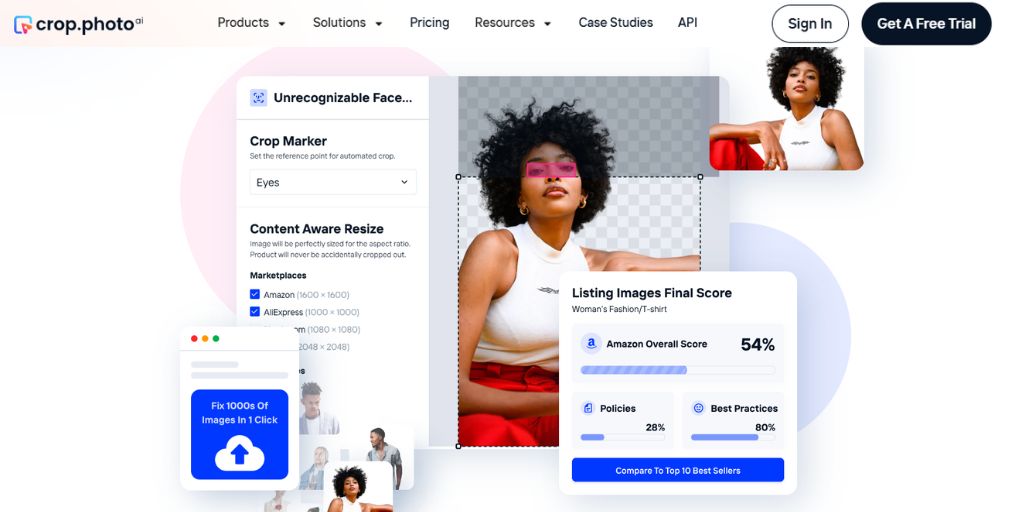
crop.photo is an AI bulk image editing software built for crop, resize and retouch at speed, covering products, faces, on-model and lifestyle shots. It does this one thing well. Smart cropping correctly identifies different subject types, centers them consistently and removes the manual framing work that eats time on large catalogs.
Pricing is subscription-based, with plans starting affordably for teams that need only crop and resize automation.
Where it falls short: It is a specialist tool, not a pipeline. Background generation, shadow work, and conditional export routing are outside its scope. You will export from here and continue in a second tool.
| What I Like | What eCommerce Teams Like |
| Fastest and most accurate crop and resize tool tested | Saves hours of manual framing work on large catalogs |
| Handles on-model and flatlay subjects well without manual framing | Works well when paired with a background removal or export tool |
| Lightweight and quick to learn | Consistent subject centering across mixed image types |
| Useful as one reliable step in a broader workflow | Low-cost entry point for teams needing only this function |
Zyng AI
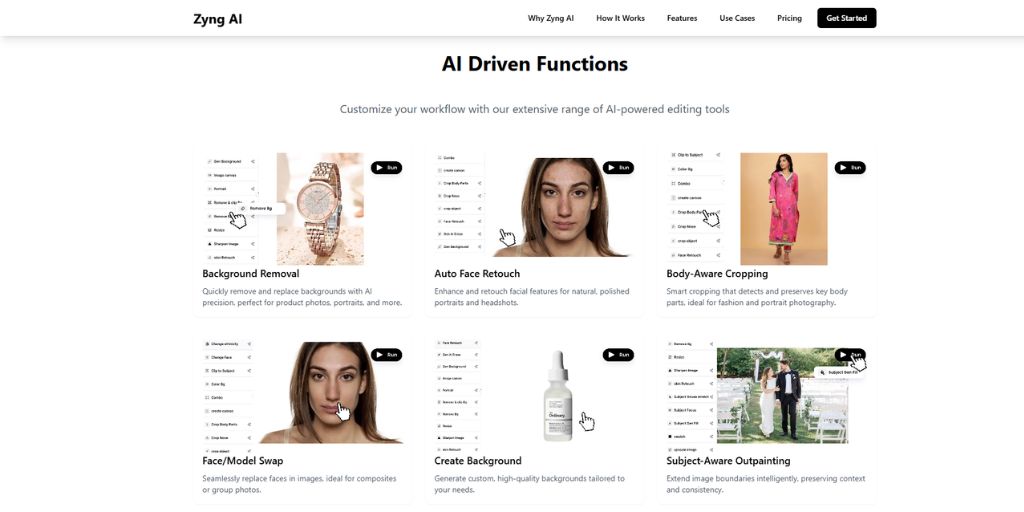
Zyng AI converts one product photoshoot into complete SKUs and localized catalogs. It can replace actual apparel on models and generate new angles and poses at batch scale, while the model, background and lighting stay consistent.
For fashion brands doing colorway variants without reshoots, the output quality is strong. One documented workflow involved automating image editing for 12,000 SKUs across multiple platforms, cutting processing time significantly. Pricing is custom, making it better suited to teams that can negotiate volume deals.
Where it falls short: The generative model introduces creative variability, which can work against strict brand consistency requirements. Conditional rule-based export is partial. Custom pricing makes budget planning less straightforward.
| What I Like | What eCommerce Teams Like |
| Generates colorway variants without reshoots | Significant time and cost reduction for variant generation |
| Handles 12,000+ SKU workflows in documented cases | Works well for seasonal catalog expansion without new shoots |
| Maintains consistent lighting and model across variants | Reduces per-SKU cost for apparel brands at scale |
| Good for fashion brands with strong source assets | Localized catalog generation across multiple platforms |
Hypotenuse AI
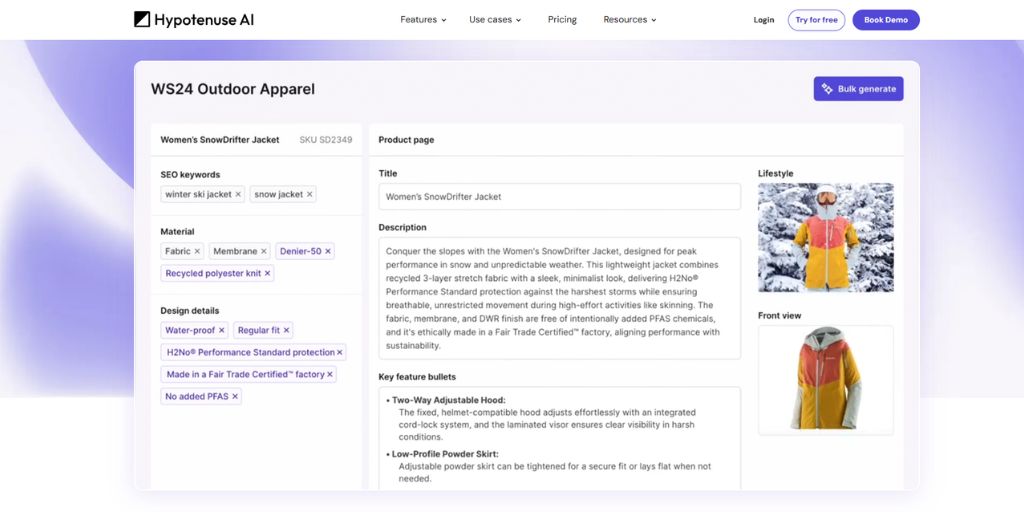
Hypotenuse AI trains a bespoke model based on your brand guidelines and product catalog. It handles everyday image editing including background removal, crop, resize and upscale and connects with PIM and DAM systems.
The batch editor processes images in large volumes, which benefits ecommerce brands with strict brand guidelines. The broader content stack, which includes product descriptions, SEO alt text and image generation, makes it useful for teams managing the full listing workflow in one platform. Pricing is enterprise-oriented and not publicly listed.
Where it falls short: Image editing is one feature in a larger content platform. It lacks the depth of purpose-built image automation tools, particularly around conditional export logic and multi-format pipeline management.
| What I Like | What eCommerce Teams Like |
| Combines image editing with product copy and SEO alt text | Content and image teams can work from one platform |
| PIM and DAM integration reduces tool switching | Reduces back-and-forth between multiple tools |
| Brand model training delivers consistent brand-aligned output | Custom brand model improves consistency over time |
| Good for teams managing full listing workflow in one place | Strong for brands with strict visual and copy guidelines |
AutoRetouch
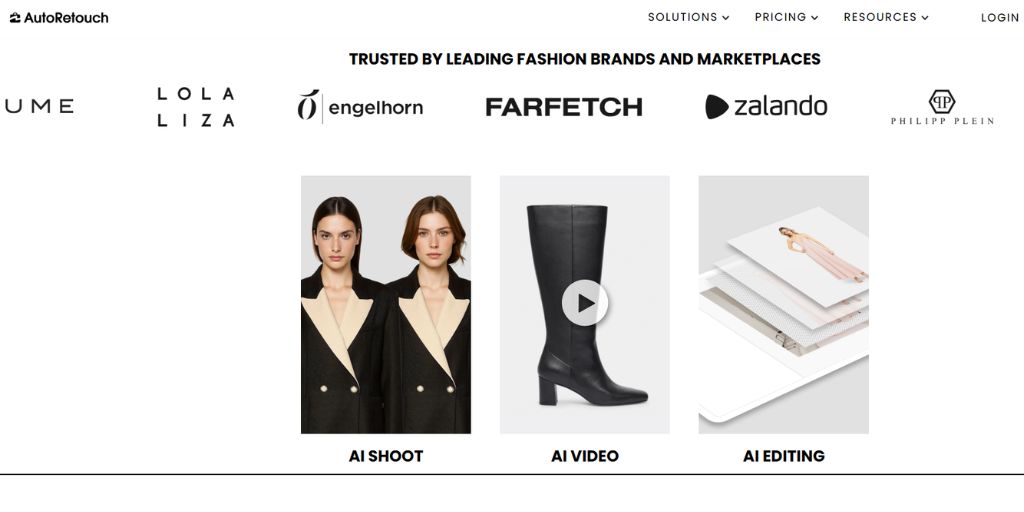
AutoRetouch focuses on background removal, ghost mannequin, background customization and skin retouching. Pricing starts at around €0.10 per image with an average processing time of 5 seconds.
The ghost mannequin feature is one of the strongest available. It creates the hollow-man effect automatically which helps apparel brands show garment shape and fit without a live model in every frame. Users can bulk-process up to 100 images at a time in the web interface or thousands via API.
Where it falls short: The chain-based workflow is not truly conditional. You cannot set rules such as ‘if on-model, export to Zalando specs; if flatlay, export to Amazon specs’ within a single pipeline. Separate workflows are required for different output types.
| What I Like | What eCommerce Teams Like |
| Best ghost mannequin output in this entire group | Fashion brands with mannequin-heavy catalogs rely on it daily |
| Fast 5-second processing per image | Apparel brands report up to 90% cost savings vs manual editing |
| Affordable per-image pricing with volume options | Consistent hollow-man effect across full garment catalogs |
| API-driven workflows handle thousands of images easily | Good API documentation for team workflow integration |
Pixelz
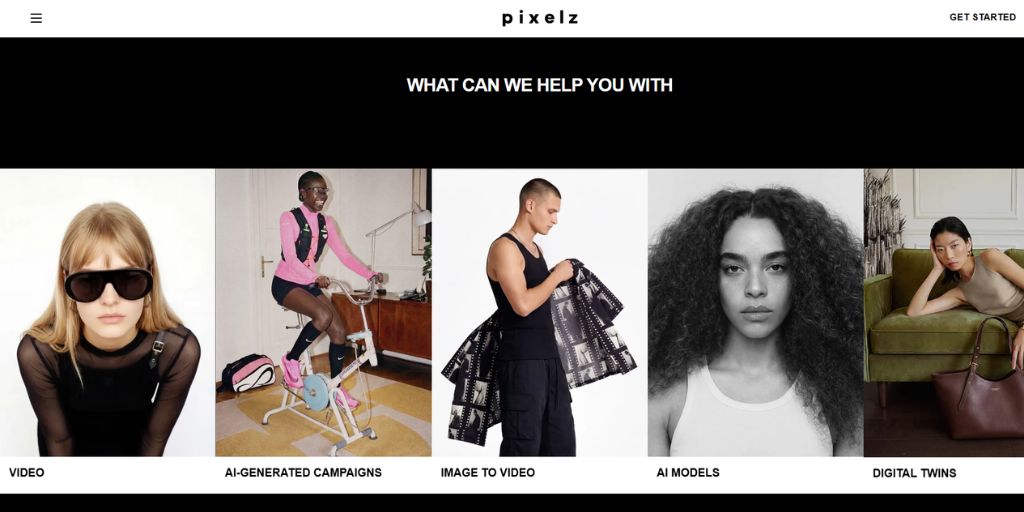
Pixelz combines AI automation with professional photo retouchers. They have retouched over 55 million product images. The human QA layer is what separates Pixelz from every other tool in this list.
A complex jewelry shot, a luxury leather bag with fine texture detail or footwear with intricate stitching, these are cases where AI misses things that a trained eye catches. Pixelz retouchers catch them. Flow Retouching can achieve turnaround speeds as quick as 10 minutes with continuous upload as you shoot.
It’s a subscription-based product for image editing, generally starting around $0.95–$1.45 per image depending on the plan.
Where it falls short: The subscription-based system makes it less practical for small stores. Complex edits can require multiple revision rounds. There is no conditional logic or multi-format conditional export. At high volume, the per-image cost adds up quickly.
| What I Like | What eCommerce Teams Like |
| Human retouchers catch what AI misses on complex products | Luxury and premium brands trust it for hero SKU images |
| 55+ million images retouched gives them real process depth | Consistent quality on jewelry, leather and intricate textures |
| 10-minute turnaround available with continuous upload | Reliable for brands where one poor image costs more than retouching |
| Best individual image quality of all eight tools tested | Human oversight removes the risk of AI errors going unnoticed |
What Does Bulk Image Editing Software Actually Cost at Scale?
The pricing page comparison is a distraction if you are not counting the full cost.
At 500 images per month, Photoroom Pro is sensible and Pixelz per-image pricing is manageable. At 2,000 images per month, Claid Pro at $35 delivers solid value for enhancement work. At 5,000+ images per month across multiple export formats, cost per deliverable, not cost per image, becomes the right metric.
If you need four different exports per image (Amazon JPEG, Shopify JPEG with shadow, Zalando PNG, internal PSD), that is effectively four separate batch runs in tools without conditional logic. Autophoto charges per AI task once per pipeline, regardless of how many deliverables you produce from that run. The math changes significantly at volume.
AutoRetouch has reported that customers see up to 90% cost savings from moving repetitive work to AI. The gains are even larger when conditional routing eliminates pre-sort and post-sort steps.
Which Bulk Image Editing Software Should You Actually Use?
The right choice depends on where your team currently loses time.
● Under 500 SKUs, want something fast and mobile-friendly, Photoroom is the most practical starting point.
● Premium brands where individual image quality is non-negotiable, Pixelz‘s human QA layer is hard to match.
● Ghost mannequin-heavy fashion catalogs, AutoRetouch is purpose-built for this.
● AI scene generation alongside catalog enhancement, Claid.ai is the strongest option.
● Image editing integrated with product copy and alt text, Hypotenuse AI is worth exploring.
● Thousands of images per month, multiple marketplaces, different spec requirements: Autophoto AI fills the conditional logic gap that none of the other tools address.
The others treat multi-platform export as a manual step. Autophoto treats it as a first-class pipeline feature. That distinction matters more than any individual output quality comparison once your volume and channel count cross a certain threshold.
Taking the Next Step
Choosing image editing software is not about picking the tool with the most features. It starts with understanding where your team is losing time and fixing that first.
When you build an efficient image production pipeline, you set your team up for a long-term cost advantage as catalogs grow and channel demands become more complex. That is where the real value shows up.
If conditional routing and multi-format exports are already slowing things down, the next step is simple. Test Autophoto AI for free with a batch from your most complex shoot, not a clean or curated set but the kind of messy images your team actually works with.
That is the only way to honestly evaluate any image editing software, including all eight reviewed here.