Your product images are not just a design. They directly impact conversion rate, ad performance and returns.
Now scale that problem.
You have hundreds of SKUs. Each marketplace requires different backgrounds, sizes and formats. Deadlines are tight. Manual workflows break fast.
So the real question is not “which images look best?” How do you produce high-quality eCommerce product images at scale, fast and cost-effectively?
This is where most teams get stuck choosing between AI tools, agencies and in-house production. This guide breaks down all three based on real cost data, turnaround and scalability so you can pick the right workflow for your catalog size in 2026.
Table of Contents
Why the Stakes Around eCommerce Product Images Are Higher in 2026
The bar has risen significantly. Amazon recommends at least six images per listing. Zalando, ASOS and other major marketplaces each have their own technical specifications for backgrounds, crops and file formats. Most brands now sell across three or more platforms simultaneously.
Run the math on a mid-size catalog. A brand with 300 products, five images per SKU and three platform variants needs to manage 4,500 files per catalog refresh. Do that twice a year and it becomes 9,000 files. That number grows with every new SKU or variant added.
The cost of getting this wrong is measurable. U.S. retail returns reached $849.9 billion in 2025 with eCommerce return rates averaging 19.3% nearly double the 8.72% rate for in-store purchases (NRF / Happy Returns, October 2025). One-third of shoppers i.e. 33% say they returned a product because it did not match its online photos or description (Rithum, 2025 Global Returns Report).
On the conversion side, eCommerce brands that optimise product pages with high-quality imagery see conversion lifts of up to 40% (SQ Magazine, February 2026). And 9 out of 10 online shoppers rate product image quality as one of the most important factors in their purchase decision (GrabOn, January 2026).
This decision is not a creative preference. It is a business decision with a direct line to revenue, returns and marketplace performance.
What the Agency Route Gets Right and Where It Becomes a Bottleneck

Agencies earn their fee on work that requires genuine creative judgment: campaign hero shots, editorial lifestyle imagery and seasonal lookbook production. These are high-value, low-volume tasks where creative direction and art direction genuinely matter.
The problem appears at volume and speed. A typical agency turnaround for post-production work runs one to three weeks. Basic white-background listing shots cost $25 to $75 per image. Lifestyle images with a model, styling and retouching run $100 to $500 or more. The effective total cost, once you factor in retouching, studio rental, shipping and coordination is typically two to three times the quoted rate (FrameOnce, February 2026).
For a 500-SKU brand doing two seasonal refreshes a year, that timeline means six or more weeks where listings are outdated or not yet live. Add color variant shoots, size updates and platform-specific exports and the cost scales linearly with every new SKU.
The agency route is the right choice for brand-defining creative work. It is the wrong tool for bulk post-production.
What In-House Photography Gives You and What It Actually Costs
In-house photography gives brands direct control over shoots, timelines and consistency. For brands with steady volume, it can deliver the best per-image quality at a manageable cost when amortised across output.
The upfront investment is real. A professional camera body, lenses, lighting and backdrop setup typically runs $15,000 to $30,000. Add a photographer or retoucher on salary and year-one costs land between $60,000 and $120,000. At enterprise scale, in-house studio overhead including staff, equipment and space runs $200,000 to $400,000 per year (Nightjar, February 2026).
The consistency challenge is often underestimated. eCommerce product images shot across different days, by different team members, using slightly different setups tend to drift in tone, crop style and background treatment. Managing that at scale requires documented standards, regular calibration and dedicated review time.
There is also a flexibility problem. An in-house photographer is typically one or two people. During peak launch periods, they become a bottleneck. During quiet periods, the fixed cost still runs.
In-house works well for brands with predictable, steady volume and the operational discipline to maintain visual consistency. It struggles when catalog size or launch frequency surges unexpectedly.
What AI Actually Does for eCommerce Product Images

Most articles about AI and eCommerce product images conflate two very different capabilities. It is worth separating them clearly.
AI image generation (tools like Midjourney, Adobe Firefly, DALL-E) creates new product visuals from scratch. It works well for lifestyle backgrounds and campaign-scale creative. It is not reliable for maintaining product accuracy across a large catalog where labels, textures and geometry need to stay consistent image to image.
AI image processing and automation work on your existing product photos after the shoot. It handles background removal, shadow generation, landmark-based cropping, metadata tagging and multi-format export. This is where the operational ROI lives and it is the category most guides fail to cover.
The results from this second category are documented at scale. Klarna saved $6 million in image production costs and cut its development cycle from six weeks to seven days using AI tools for image generation and editing. This represented a 37% cost saving in marketing operations on an annualised basis (Klarna press release, 2024; Digiday).
Zalando expanded its use of generative AI in 2025 to accelerate imagery production for its app and website, cutting campaign production costs by approximately 90% by eliminating studio and location rental costs entirely (Chief AI Officer, January 2026).
AI image processing does not replace the shoot. It replaces everything that happens after the shutter clicks may it be the retouching, the exports, the resizing, the renaming and the platform formatting. That is where most of the hours and costs actually live.
The Real Cost Comparison: A Decision Table
| Route | Avg. Cost Per Final Image | Turnaround | Scales With Volume? | Best For |
| Agency | $45 to $150+ (effective, all-in) | 1 to 3 weeks | No (linear cost) | Campaign hero shots, brand editorial |
| In-House Studio | $15 to $40 (amortised) | 2 to 5 days | Partially | Steady catalog, consistent volume |
| AI Processing | Under $1 to $2 | Hours to same day | Yes (near-flat cost) | Bulk post-production, variants, multi-platform exports |
| Hybrid (shoot + AI post-production) | $5 to $15 blended | 1 to 2 days | Yes | Most scaling eCommerce teams |
Sources: Nightjar, 2026; PixelPhant, December 2025; FrameOnce, February 2026
The hybrid model in the final row is how most high-performing catalog teams actually operate. A photographer or agency captures clean raw images. AI automation handles everything downstream.
Which Approach Fits Your Stage?
Under 100 SKUs
Shoot your products with a smartphone and a controlled lighting setup. Spend your photography budget on one agency session for brand hero imagery.
Use an AI post-production tool for backgrounds, shadows and platform formatting. You do not need a full-time hire at this stage.
100 to 500 SKUs
Bring in a freelance photographer or a small in-house setup for captures. Use AI automation for all post-production.
The workflow shift is straightforward. Upload structured product folders and set conditional logic rules once to remove backgrounds, apply white fill, crop from chin to knee and export JPG for Amazon and PNG for Shopify. The pipeline then runs automatically across the entire batch.
This is where teams typically move to a platform like Autophoto AI. It handles background removal, body-aware landmark cropping, ghost mannequin compositing, shadow generation and multi-format exports in a single automated pipeline. Teams that previously spent three to five days on post-production after a shoot are processing the same volume in hours.
500 or More SKUs
At this scale, AI automation is infrastructure, not a nice-to-have. The evaluation criteria shift from “does it work?” to “does it integrate?” API access, folder-level organisation, webhook completion notifications and built-in QA review tools become the deciding factors.
Manual post-production at this volume is economically unsustainable.
What an Automated eCommerce Image Workflow Actually Looks Like

Most guides explain AI in terms of features. Here is what it looks like in real production for a fashion brand processing 200 new SKUs after a studio shoot.
Without automation: Raw files go to an editor. Backgrounds are removed one by one in Photoshop. Shadows, crops and platform-specific formats are handled separately. Files are renamed, organised and uploaded manually. This typically takes three to five days and requires one to two people.
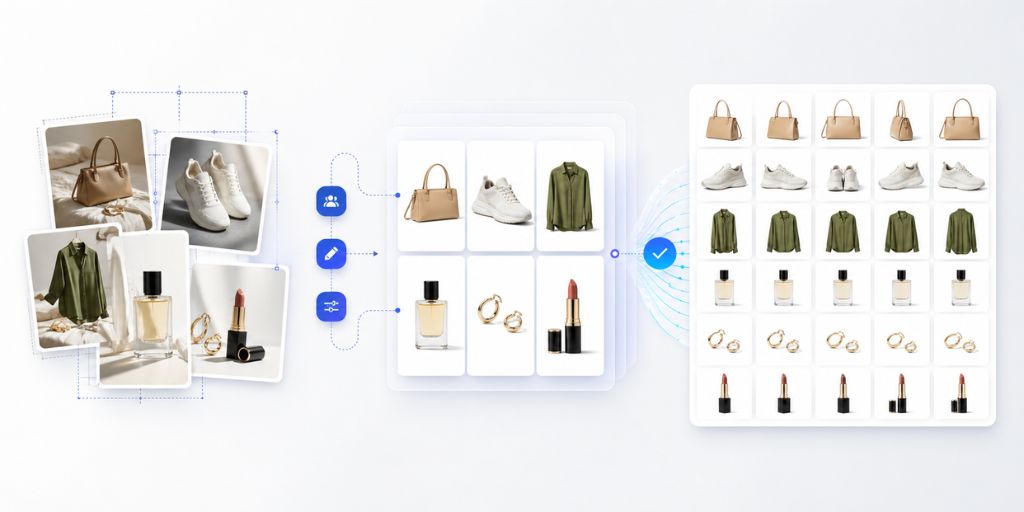
With AI automation: The full shoot folder is uploaded once. The system automatically detects product type, pose and shot category. Rules apply instantly: background removal, shadow generation, crop adjustments and platform-specific formatting for Amazon, Shopify and social channels. One reviewer checks outputs using side-by-side previews, then exports everything in the correct folder structure ready for upload. This takes the same day with one person reviewing.
The difference is not effort. It is workflow design. The post-production bottleneck between studio output and live listings disappears and that is where most of the time loss happens in eCommerce image operations.
Taking the Next Step
The question is not AI vs agency vs in-house. At scale, most teams use a combination of all three.
Creative direction stays with agencies. Capture stays with in-house teams or photographers. But the real constraint sits after the shoot in editing, resizing, formatting, exporting and QA across multiple platforms. That post-production layer is where most of the cost, time and delays actually live.
Once that bottleneck is removed, speed, consistency and cost stop competing with each other and start improving together.
If you want to see what this looks like on your own catalog, Autophoto AI lets you run a free batch trial through an automated pipeline and compare it directly against your current process. Upload real files. Run them through the workflow. The outcome is usually obvious once the numbers are side by side.