Your product image is the first thing a shopper sees on Amazon.
In most cases, it decides whether they click or scroll past. No matter how strong your title, bullet points or price are, a poor photo can stop a sale before it even starts.
Amazon product photo requirements have become stricter and more precisely enforced in 2026.
Getting your images right directly affects search visibility, listing status, customer trust and conversion rates. But getting them wrong can lose you revenue.
So, what technical details are most sellers missing?
This guide covers every technical specification, main and secondary image rule, category specific requirement and best practice you need to know as a seller in 2026. It also explains how tools like Autophoto can help you edit thousands of images quickly and consistently.
Table of Contents
What are Amazon Product Photo Requirements in 2026?
Amazon product photo requirements are a set of technical and content rules that every image must follow to remain live and searchable on the marketplace.
These requirements apply to:
- Main image (hero image)
- Secondary images
- All categories, with additional rules for apparel and footwear
Failure to meet even one rule can result in rejection or suppression.
What are the Technical Specifications for Amazon Product Images?
Every image uploaded to Amazon must meet these baseline specifications.
| Specification | Amazon’s Product Photo Requirements |
| Minimum pixel size | 1,000 px on the longest side (enables zoom) |
| Recommended size | 2,000 x 2,000 px (optimal for zoom and mobile) |
| Maximum size | 10,000 px on longest side ; file must not exceed 10 MB |
| Accepted formats | JPEG (prefered), PNG, TIFF, non-animated GIF. WebP is NOT accepted. |
| Aspect ratio | 1:1 square (standard) ; 5:6 portrait also accepted |
| Color mode | sRGB or CMYK |
| Minimum resolution | 72 DPI |
| File naming | Product identifier (ASIN,UPC,EAN) + variant code + extension. No spaces, dashes or special characters. |
| Layers | All layers must be merged before saving. Files with active layers are rejected. |
| Important Note on Resolution: Uploading beyond 2,000 px per side adds upload time but delivers no visible quality improvement for most products on desktop or mobile. Shoot at 2,000 x 2,000 px and maintain that size consistently across your catalog. |
What are the Amazon Product Photo Requirements for the Main Image?
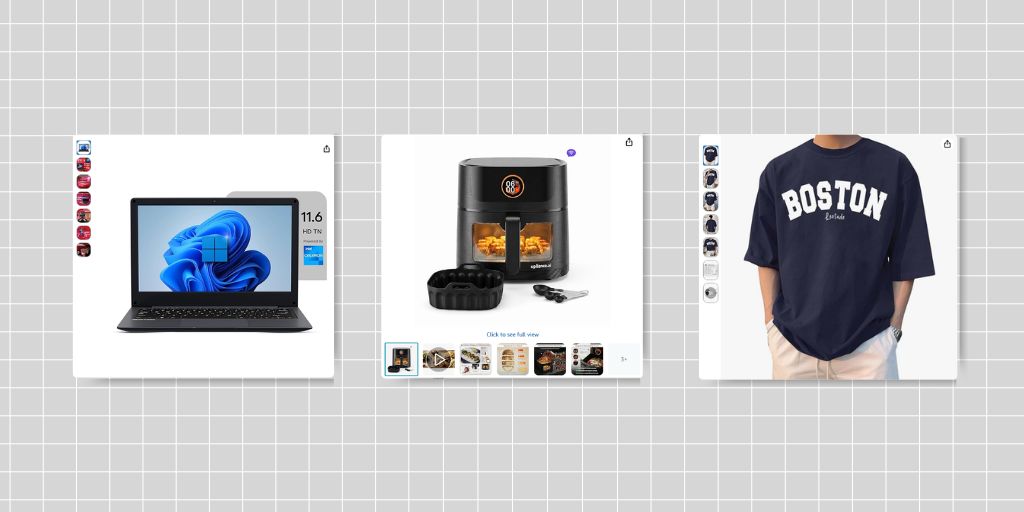
The main image, also called the hero image, is what appears in search results, sponsored ads and at the top of the product detail page.
Amazon applies its strictest standards here because this image represents your product across the entire marketplace. A single violation causes your listing to disappear from search until the issue is resolved.
The following rules are non-negotiable for the main image:
- Pure white background, specifically RGB 255, 255, 255.
Even a near-white value like #FEFEFE is now detected and flagged by Amazon’s visual AI. Off-white and light grey backgrounds that used to slip through are consistently rejected in 2026.
- The product must fill at least 85% of the image frame.
Amazon’s system enforces this automatically and will either auto-crop or suppress the listing if there is too much white space around the product.
- No text, logos, watermarks, borders, color blocks or graphics of any kind.
This includes promotional claims, brand names or badges unless physically printed on the product itself.
- The entire product must be visible within the frame with no cropping at the edges.
- Only items included in the purchase can appear in the image.
Props, accessory products or context objects not part of the sale are prohibited.
- No multiple product views combined into a single main image.
Show only one view, such as the front.
- The product must be shown outside its packaging unless the packaging itself is the product, such as a gift set or carrying case.
- Real photography of the actual product is required.
Fully AI-generated images, 3D renders and CGI mockups are prohibited for the main image. Amazon’s AI evaluates what it calls “physical authenticity” and flags synthetic visuals.
- No placeholder images.
The first image uploaded defines the product identity. Using a temporary placeholder can block your intended image from uploading.
What are the Category-Specific Rules for the Main Image?
Men’s and Women’s Clothing
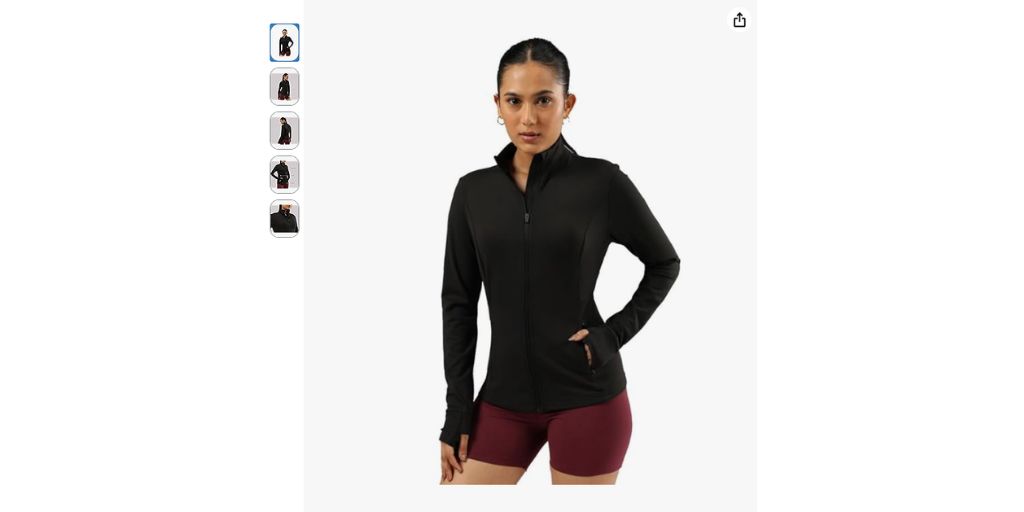
Men’s and women’s clothing must be shown on a standing human model.
The model must be upright, not sitting, kneeling, leaning or lying down. Amazon encourages representation of various physical abilities including models who use wheelchairs or prosthetics.
Ghost mannequins are acceptable in most apparel categories but hangers are not permitted for main images.
Kids’ and Baby Clothing
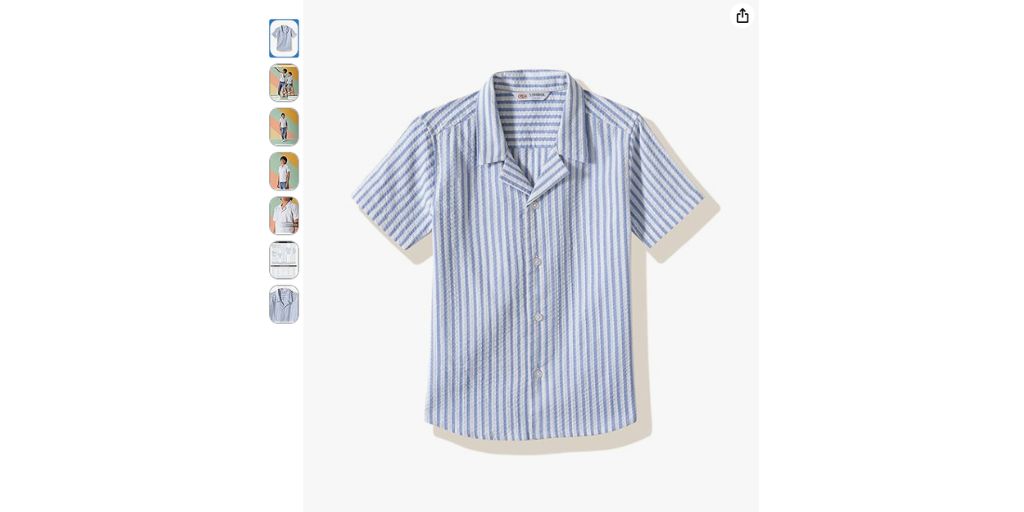
Must be presented as a flat-lay, off-model. No mannequins or human models.
Footwear
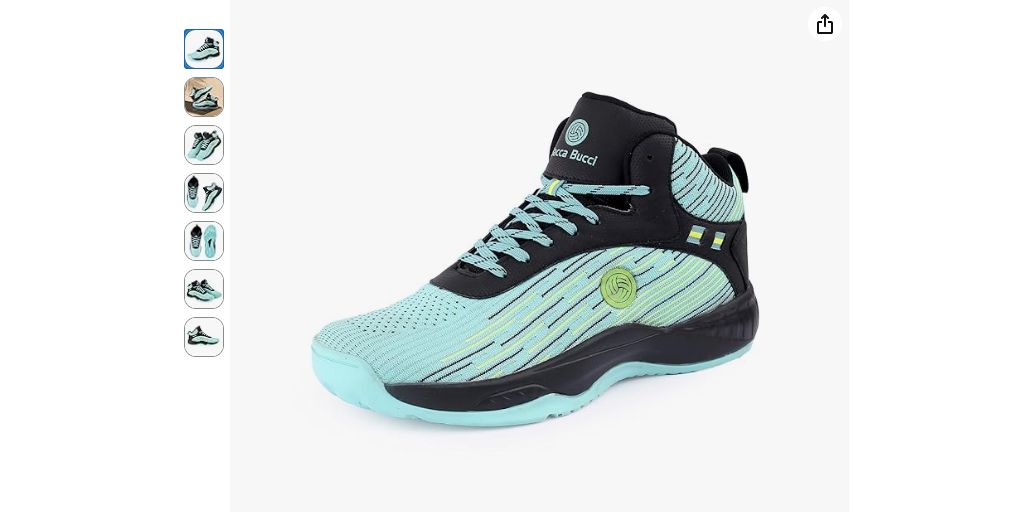
A single shoe must be shown facing left at a 45-degree angle. No pairs, text, logos or overlays in the main image. This applies to all footwear categories.
Jewellery
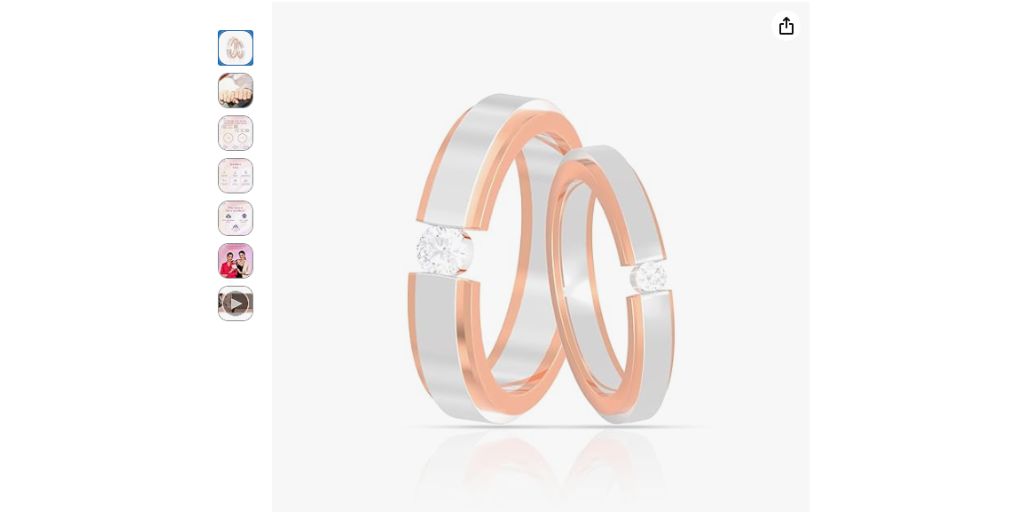
The main image for jewellery must be shot flat. Must be shown on a pure white background.
The full product must be visible within the frame, with one exception. Necklaces can be cropped at the edge of the image but other pieces like rings or earrings must be shown in full.
No packaging, gift boxes or decorative props are permitted in the main image unless the box is a direct and explicit part of the purchase.
Watches should appear alone, without packaging unless the box is a unique selling point. Each metal finish, gemstone or material variation must have its own dedicated main image.
Models or hands wearing the jewellery are not permitted in the main image but can be used as a secondary image to show scale and wearability.
Books

Must show the front cover. No text, badges, or external graphics.
Furniture
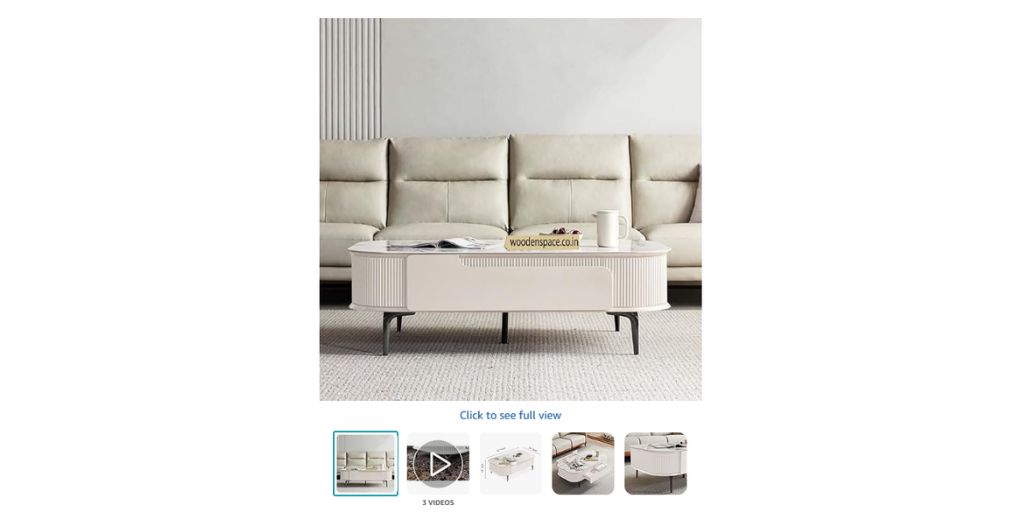
The main image must show the complete piece on a pure white background with no props, rugs, cushions, plants or styled decor that are not included in the purchase.
The entire product must fit within the frame with nothing cropped.
Each configuration or upholstery variant must have its own dedicated main image rather than combining options into a single shot.
3D renders are not permitted for the main image but are allowed in secondary slots.
Electronics
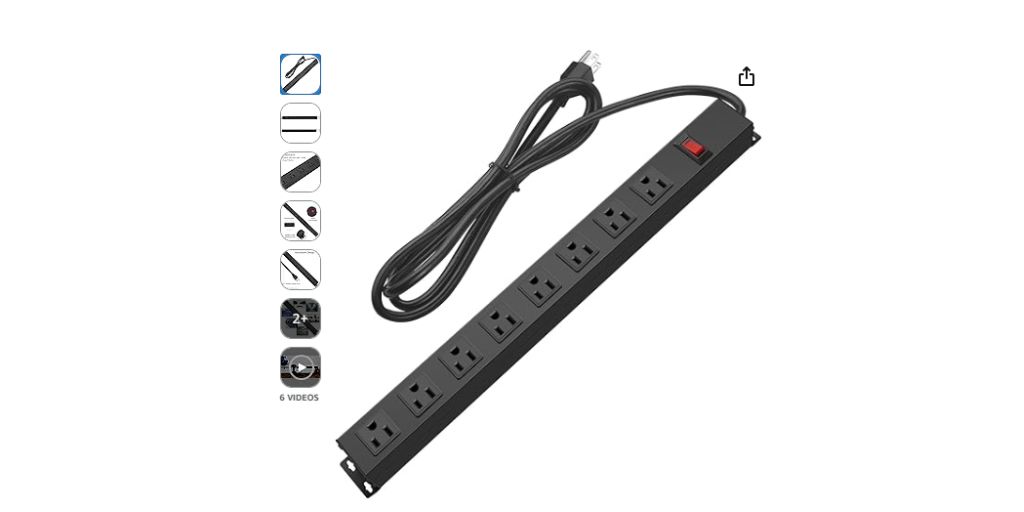
The main image must show only the product itself with no props, cables or accessories unless they are included in the purchase.
No text, labels or promotional badges. White backgrounds remain required.
For multi-piece electronics (such as speaker pairs or kits), items must be shown together at an accurate relative size.
Fast-Moving Consumer Goods (FMCG)

The main image must show the actual product and its packaging clearly with the brand name, product name and any key label information legible and visible. White background only.
Ingredient lists and expiration date placement do not need to be readable in the main image.
No styled food photography or prepared dishes are allowed as the main image unless the product itself is the prepared item.
Multiple units (packs) may be shown if the product is sold as a multi-pack.
Automotive Parts and Accessories
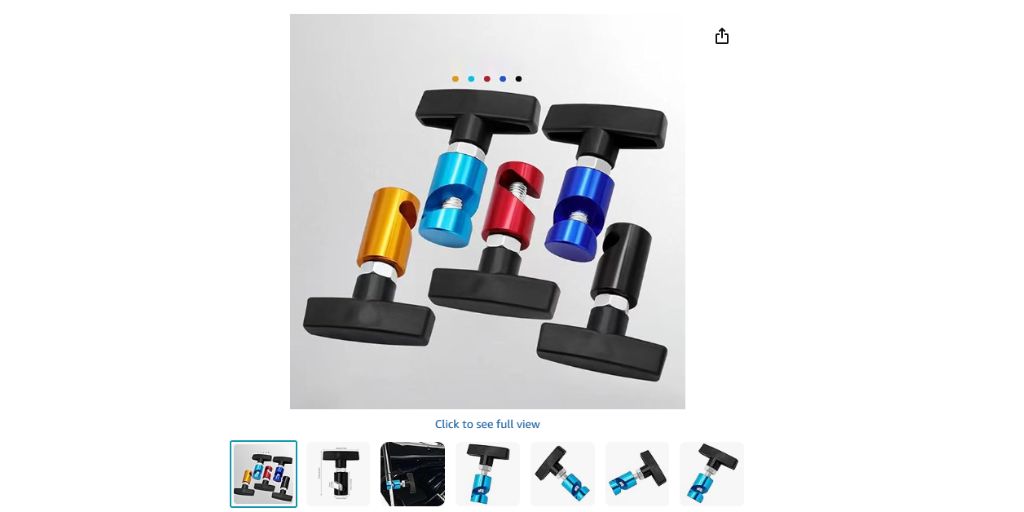
The main image must show the part or accessory on its own against a clean, white background, not installed on or mounted to a vehicle.
Showing the product fitted to a car, motorcycle or other vehicle is not permitted for the main image. Avoid text, symbols or promotional badges.
Fitment details belong in secondary images or backend fields, not in the main image.
What are the Rules for Amazon Secondary Images?
Secondary images allow more flexibility, but Amazon product photo requirements still apply.
You can upload up to eight additional images. These may include:
- Product shown from different angles or in close-up detail.
- Informational visuals that highlight features with captions, callouts or arrows, as long as the content is clear, accurate and not misleading.
- Lifestyle photography showing the product in realistic use scenarios.
- Props and contextual backgrounds when they help show size, usage or product details without misleading the customer.
2026 Overlay Rule Update
Amazon prohibits the following in any image:

- Star ratings or customer review quotes.
- Third-party claims such as warranty promises or free shipping guarantees.
- References to the Amazon shopping experience, including “Prime eligible” or “Amazon’s Choice” badges.
- Text or graphic overlays covering more than 20% of the total image area. Dense, text-heavy infographics that flood the frame are flagged under rules introduced in 2026.
A practical image sequence for most categories:
| Main product shot → lifestyle or in-use image → dimensions or scale reference → feature infographic → detail or texture close-up → packaging or unboxing shot → a comparison or before-and-after image where relevant. |
*One notable change in 2026: Amazon is actively suppressing static size chart images in the image carousel for apparel and footwear. The platform now auto-generates size charts from backend catalog data and inserts them dynamically, particularly for mobile shoppers.
How Does Amazon’s AI Review and Reject Product Images?
Amazon moved from periodic manual checks to continuous automated scanning in 2025. By 2026, this system will evaluate every uploaded image in real time across several layers simultaneously.
The AI evaluates:
- Background color accuracy down to the RGB value
- Product-to-frame coverage percentage
- Presence of text or graphic overlays
- File structure and metadata
- Authenticity signals in lighting and texture
High-gloss 3D renders often fail that last check even when they appear photorealistic to a human eye because the AI detects surface and lighting patterns inconsistent with real photography.
Amazon also assigns each ASIN a Risk Score, a composite metric tracking suppression history, complaint patterns and authenticity signals.
An ASIN that has been suppressed before enters a higher-risk pool, meaning future violations are caught and actioned faster. This makes resolving image issues correctly the first time more important than many sellers realize.
What Happens When Amazon Rejects a Product Image?
When Amazon rejects an image, the outcome depends on which image was flagged.
If the rejected image was an optional secondary image, the listing may remain live. If the main hero image is non-compliant, the entire listing can be suppressed and will not appear in search results.
Suppression typically results in a dramatic drop in organic traffic, sponsored ads pausing automatically, search ranking decline and days of lost sales before the issue is corrected and the listing re-reviewed.
According to Onramp Funds, non-compliant listings can see up to 40% less traffic compared to optimized ones and suppressed listings now account for up to 10% of Amazon’s inactive products.
In some cases, listings appear live briefly and are suppressed days later after quality scans detect non-compliance.
A significant policy active in 2026 is that Amazon can replace a listing’s images if the platform determines another seller’s images better meet standards, even for brand-registered listings.
How Do Amazon Product Photo Requirements Affect Sales?
Product images influence purchasing decisions more than descriptions or pricing.
Salsify’s 2025 Consumer Research Report found that 77% of shoppers consider product images and videos as part of their typical purchase journey. Thus, strong visuals directly impact trust and decision making.
Image quantity and type also affect performance. Trellis reports that increasing from four to seven or more images can raise conversion rates by 32%. That includes an 18% lift from lifestyle images, 8% from infographics and 6% from close up detail shots.
Poor or non-compliant images have the opposite effect. They:
- Lower click-through rates
- Reduce conversions
- Increase returns when products look different from expectations
- Trigger search suppression if Amazon’s main image rules are violated
What are the Most Common Amazon Image Compliance Mistakes?
Industry data indicates that roughly 30 to 40% of submitted images are rejected initially, primarily due to background and frame coverage issues.
The most frequent errors are:
- Background is not exactly pure white (RGB 255, 255, 255). Even a value of 250, 250, 250 is detected and flagged.
- Product not filling enough of the frame, leaving excessive white space.
- Text, logos, watermarks or promotional badges on the main image.
- Low resolution or non-standard file formats such as WebP.
- Props or accessories shown in the main image that are not included with the product.
- Multiple views of the product are combined into a single main image.
- Apparel shown on a hanger rather than a model or as a flat-lay.
- Fully AI-generated or CGI images submitted as the main product photo.
What are the Best Practices for Meeting Amazon Product Photo Requirements?
- Use professional photography.
Good lighting, sharp focus and accurate color representation make a measurable difference. Amazon requires images to accurately represent the real scale, quantity and color of the product.
- Verify background color using a color picker tool.
Confirm that the background reads exactly as RGB 255, 255, 255 before uploading. Do not rely on visual judgment alone.
- Aim for 85% or more frame coverage.
Leaving too much white space around the product is one of the most common rejection triggers.
- Ensure images match the title and description.
Amazon’s AI cross-references image content against listing text and discrepancies can flag authenticity concerns.
- Fill every available image slot.
Amazon recommends at least six images per listing. Research consistently shows that more high-quality images outperform fewer.
- Monitor listings regularly.
Amazon’s enforcement is continuous. An image that passed compliance checks previously may be flagged after a policy update.
- Use square formatting.
Non-square images are displayed with white padding in search results, making the product appear smaller than competitors using 1:1 ratios.
How Does Autophoto Standardize Amazon Image Compliance?
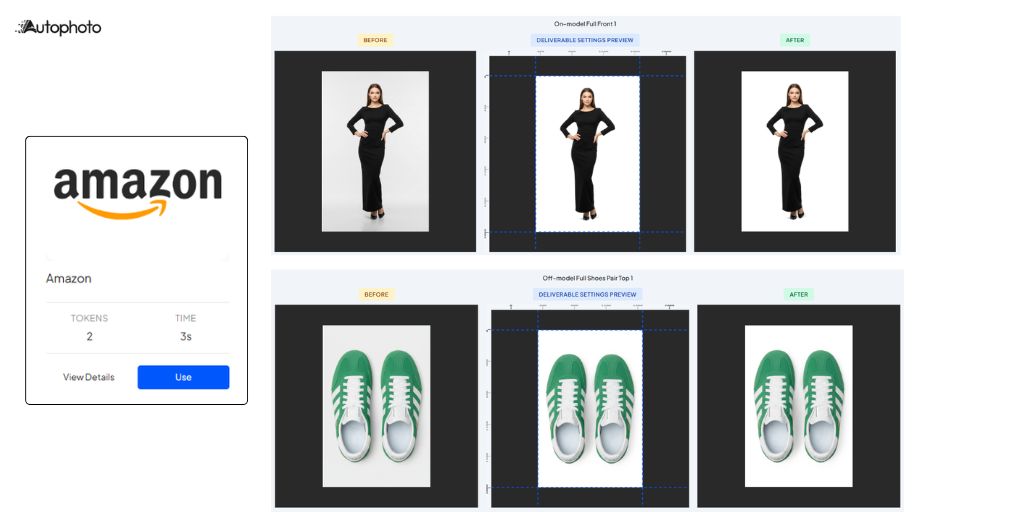
For sellers managing large catalogs, meeting Amazon product photo requirements across thousands of SKUs becomes an operational bottleneck.
Where every image requires the same steps, repeating this manually becomes time-consuming, inconsistent and costly.
Autophoto addresses this with its already pre-built Amazon template that encodes every requirement directly into a single automated pipeline.
Here is what the template applies to every image:
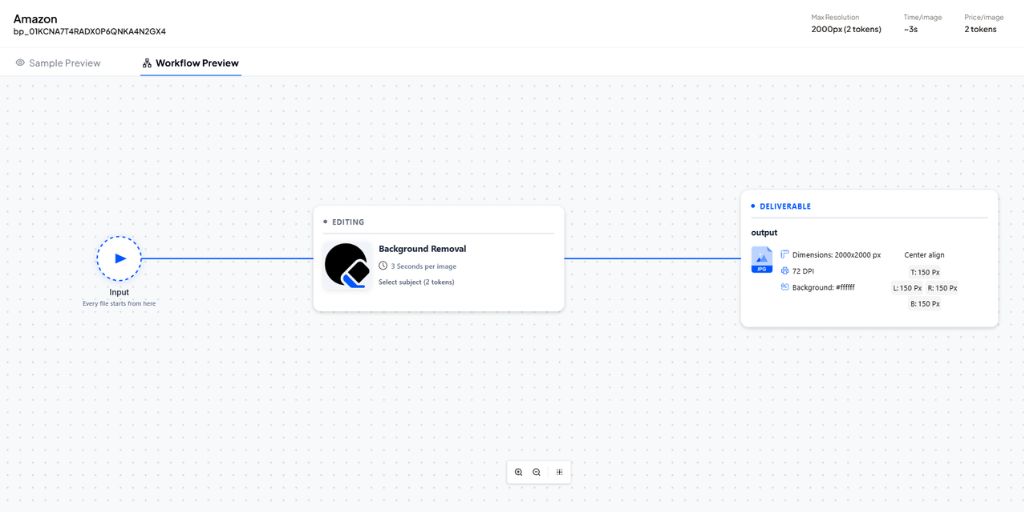
| Parameter | Autophoto’s Prebuilt Amazon Template |
| Image Size | 2,000 x 2,000 px (longest side 2,000 px) |
| Format | JPEG |
| Background | Pure white, #FFFFFF |
| Shadow | Off (no artificial shadow) |
| DPI | 72 |
| Alignment | Center; product fills approximately 85% of frame |
| Margin | 7.5% each side (150 px on a 2,000 px canvas) |
You select the template once and choose file or drop down images and Autophoto applies them consistently to every image in the batch.
Execution Time: 3 seconds per image
This way, the processing time cuts from 42 hours manually to just 4 hours for 5,000 images. Cost per image runs 5 to 10 times lower than outsourced retouching. Real-time preview before download means minor corrections can be handled immediately in the browser without additional editing software.
Quick Note: Autophoto does not handle creative retouching, custom art direction, generative AI modifications or video retouching.
How Can Sellers Stay on Top of Amazon Image Policy Changes?
The most reliable approach is to build compliance into a regular workflow rather than treating it as a one-off task.
- Review your catalog against the latest Amazon Product Page Style Guide in Seller Central every quarter.
- Set up suppression alerts in Seller Central so flagged listings are caught immediately.
- When Amazon updates its style guides for specific categories, cross-reference your images against the new requirements before enforcement begins.
Taking The Next Steps
Amazon product photo requirements in 2026 are enforced with automated precision.
Even small image errors can reduce visibility, suppress listings or limit conversions.
If you manage multiple SKUs, compliance should not depend on manual checks. A structured, consistent image workflow ensures every listing meets Amazon standards before it goes live.
Autophoto helps streamline that process. It standardizes backgrounds, framing, alignment and format at scale so your catalog stays optimized without slowing your team down.
If visibility and conversion matter, review your images now and fix gaps before they affect rankings.
Get a free trial of Autophoto TODAY!