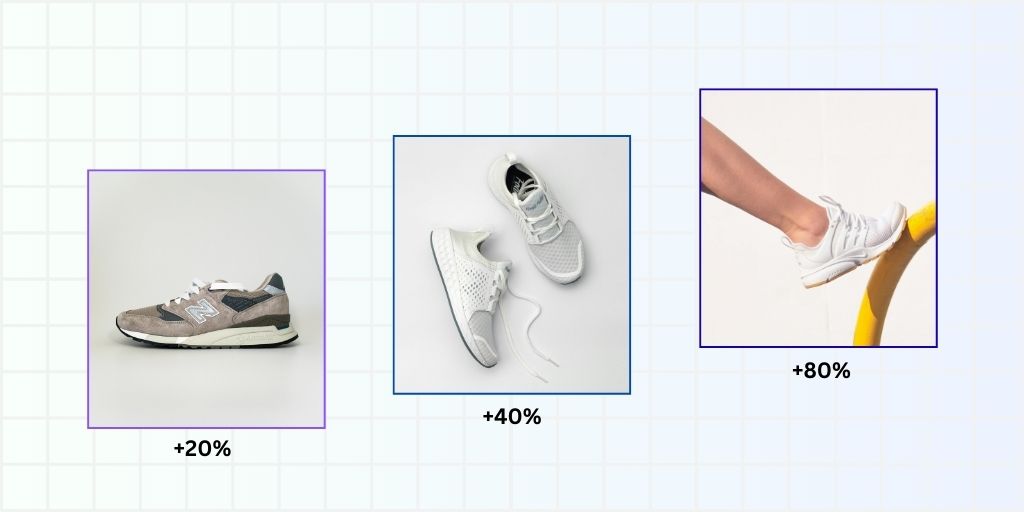
Brands that are selling products online rely on their ecommerce product images. That’s not just a statement, but an actual fact based on recent statistics.
Over 90% of online consumers admitted that product images are the single most important factor when making a buying decision.
But we need to go a little more in depth to understand how ecommerce images impact conversion rate and drive ecommerce conversion rate optimization.
In this article we are going over 9 ecommerce images best practices to make your images a sales driver. These tweaks may seem tiny, but the insights that back them are game changing.
Without any further ado, let’s break down how ecommerce product images impact ecommerce conversion rate, and how you can use them to sell more products in your store.
Ecommerce Images Best Practices for Higher Conversions
1. Use high-quality images
When shoppers can’t touch, feel, or examine your products in person, image quality becomes the primary trust signal between you and your potential customer.
Meaning, your ecommerce product images are doing the heavy lifting that a physical store experience normally would.
Research confirms this impact. Etsy surveyed their buyers and discovered that 90% of shoppers rated photo quality as “extremely important” or “very important” to their purchase decision.
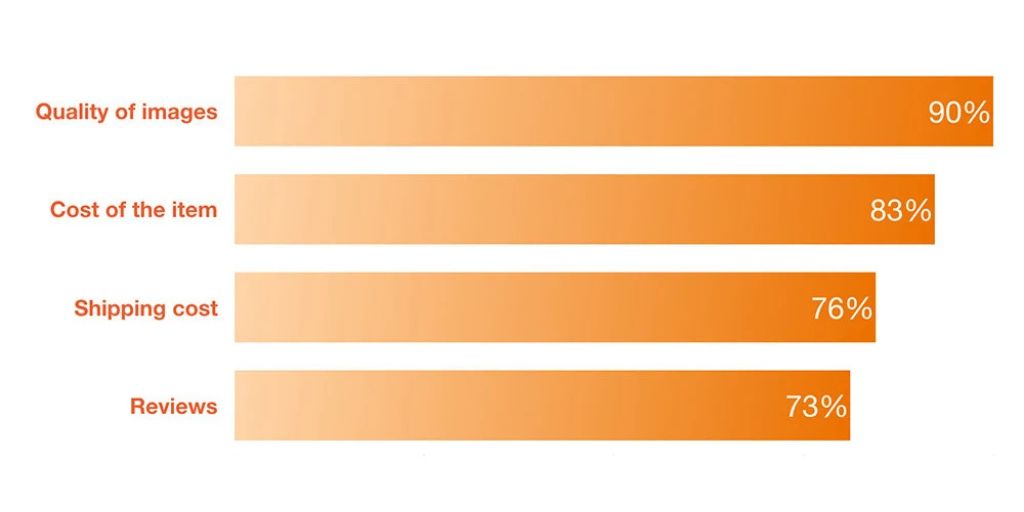
That’s a straight make-or-break insight for eCommerce.
Mall.cz, a major eCommerce retailer, ran an A/B test comparing their standard product images against larger, higher-quality versions.
The result? A straight 9.46% increase in revenue from that single change. No new products, no pricing changes, no marketing campaigns – just better images.
2. Provide plenty of product images
A customer is always looking to make an informed decision. They want to feel confident of their choice and avoid the hassle of return or exchange.
One of the easiest ways to achieve that is by looking at the product from all sides, in different scenarios, and then proceeding to buy.
As per Salsify research, 60% of US digital shoppers want to see three or four images when shopping online. Another 13% preferred more than five images for each product.
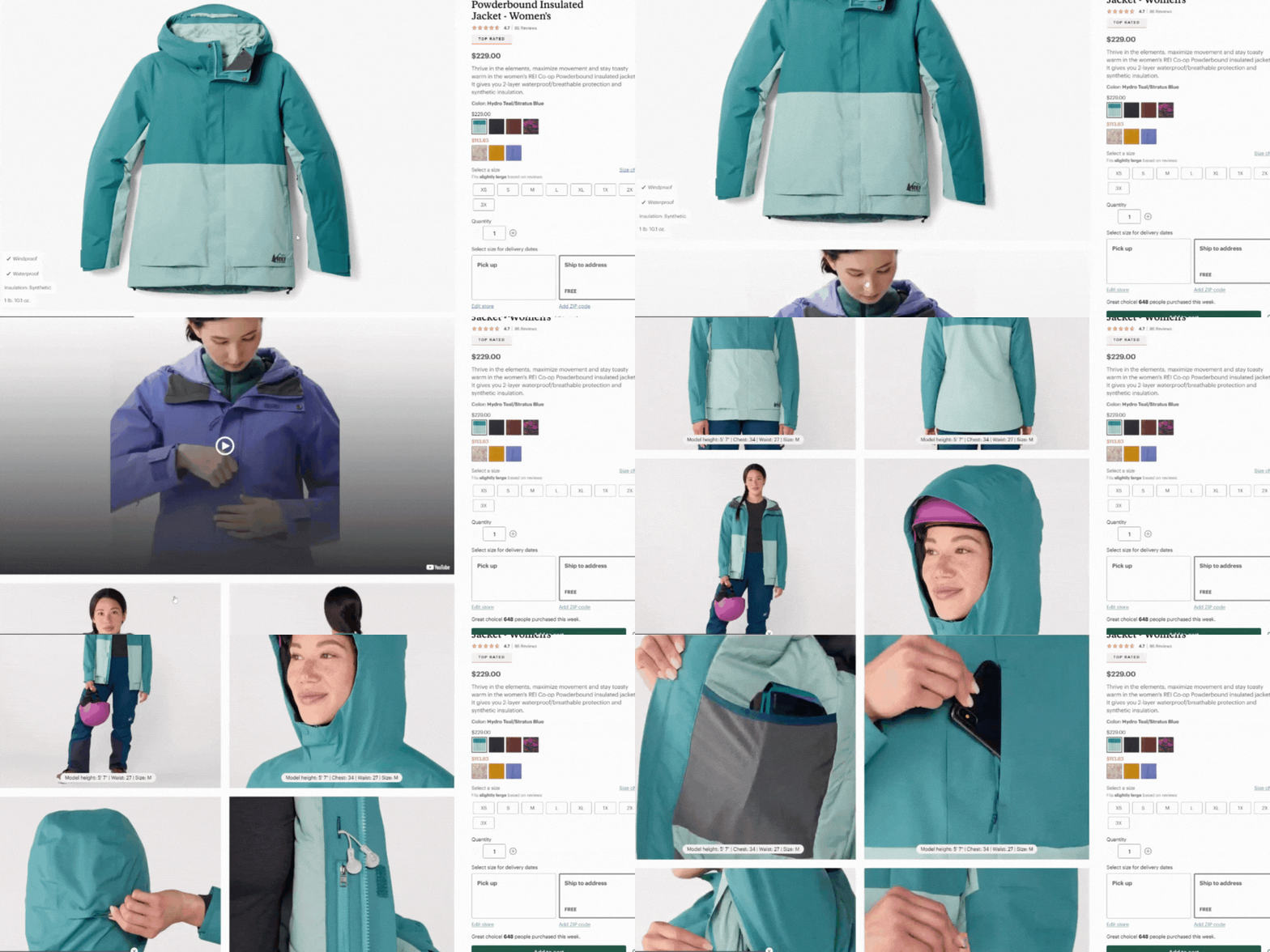
What images can you include? Depending on the category, your product photography can include:
- Front view: What does it look like?
- Back view: What’s on the other side?
- Detail shots: What’s the quality of the materials?
- Scale/size reference: How big is it actually?
- Lifestyle/context shots: How would I use this?
These can be further broken down into portrait shots, model photography, ghost mannequin, etc, but you get gist already.
3. Use Larger Images
While many designers might not like this, it has been clearly established that using larger ecommerce product images helps in improving ecommerce conversion rate.
Even though they might seem to take up “too much”, product images remain a key driver for ecommerce conversion rate optimization.
In one study, a 28% increase in image size led to a 63% increase in conversions. That’s more than double the return on what seems like a modest change.
Research also showed that 50% of eCommerce shoppers specifically buy products featuring larger, high-quality images.
This can also be observed on the Nike website. Till 2019, Nike used to feature 4 to 5 products in a row of their category page.
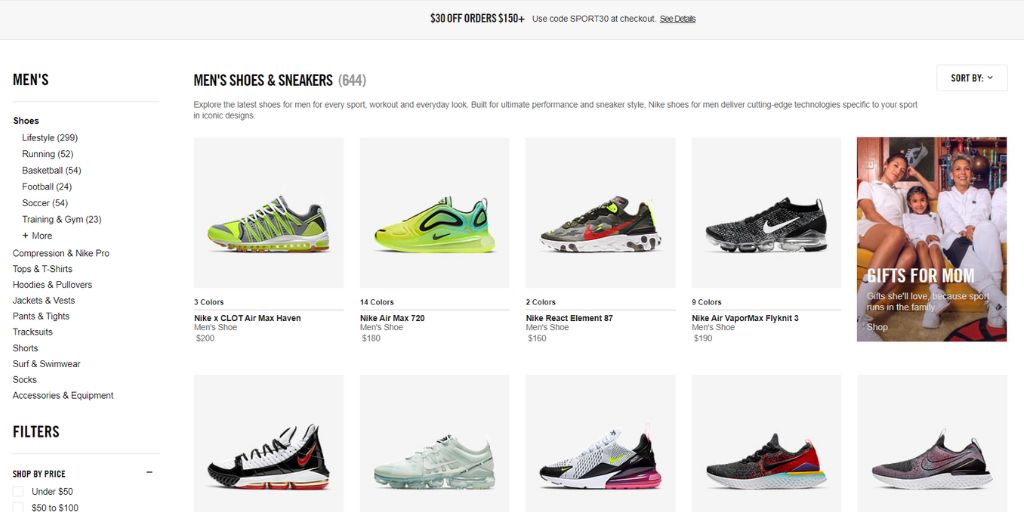
They updated the presentation in 2020 to feature large product images, even though it allowed only three products in row.
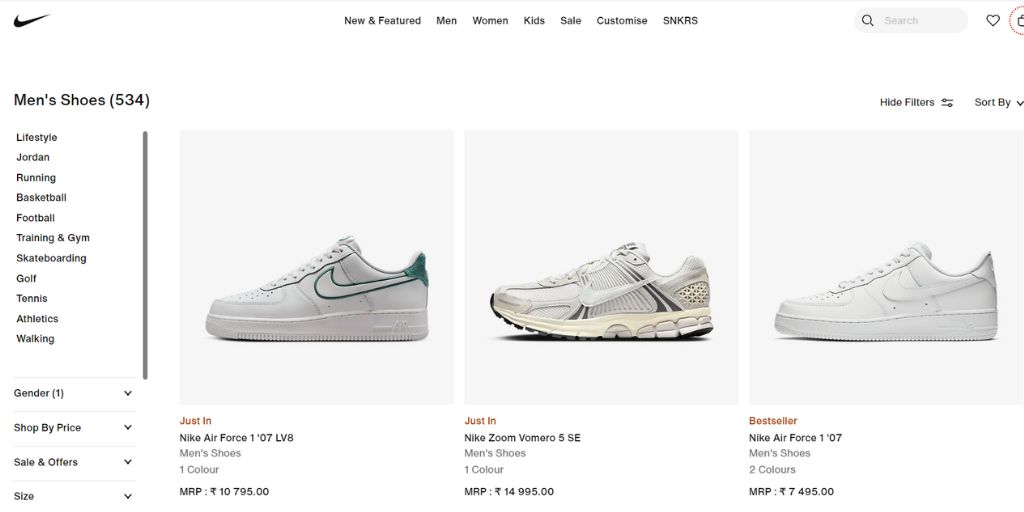
While the numbers are missing, we can confidently say the move worked well for them. That’s the reason why we still see only three rows in 2025 as well.
4. Provide context
Product images aren’t just always about the product. You also have to help shoppers envision the context around it.
That’s how you go from just selling a product to selling a lifestyle, a solution, or a transformation people are looking for.

How to add context in ecommerce product images? By showing the product in their natural habitat. For example:
- Fashion: Model wearing the clothing in real-world settings
- Furniture: Pieces styled in a beautifully decorated room
- Tech accessories: Product being used with the device it’s designed for
- Kitchenware: Product in use, cooking or serving food
- Beauty products: Before/after shots or product in a luxurious bathroom setting
While lifestyle photography is an important aspect, it is also necessary to keep the focus on the product.
5. Use high-quality UGC for trust
Talking about context and lifestyle photography, we must also discuss the rising trend of UGC. It stands for User Generated Content, meaning the content about the product is not generated by the brand, but by the actual user.
For eCommerce, UGC increases conversions by 161%. This is because, when potential customers see real people using and enjoying your products, it provides social proof.
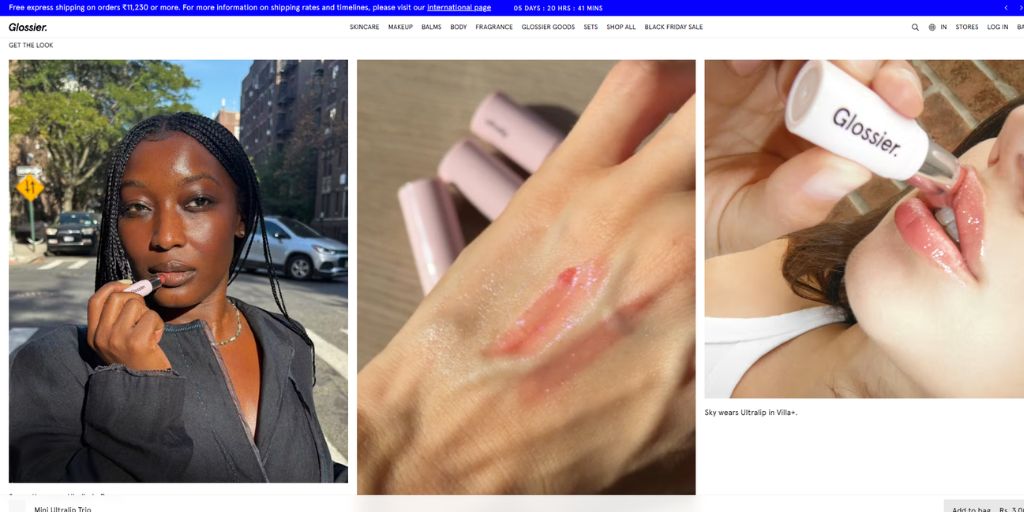
Something that no amount of professional photography can match.
Beauty brands like Glossier have built their entire marketing strategy around UGC. Their Instagram and product page features real customers wearing their products.
This creates an authentic community that drives massive conversions—a powerful ecommerce conversion rate optimization strategy.
6. Draw attention to products
Composition and styling are critical when it comes to drawing attention towards the product.
When you are using props, creating an environment for lifestyle image, or simply posing with the model—focus should be on the product.

In e-commerce, eye tracking has revealed that users focus on product images, descriptions, and prices before anything else.
Understanding and optimizing these natural attention patterns can significantly boost conversions through strategic ecommerce images best practices.
In another tracking experiment, two product images with the same model were tested. In one image, the model was looking directly at the viewer while in the second image the model was looking at the product.
Clearly, the image where the model is looking at the product drives more attention towards the product.
7. Know your audience
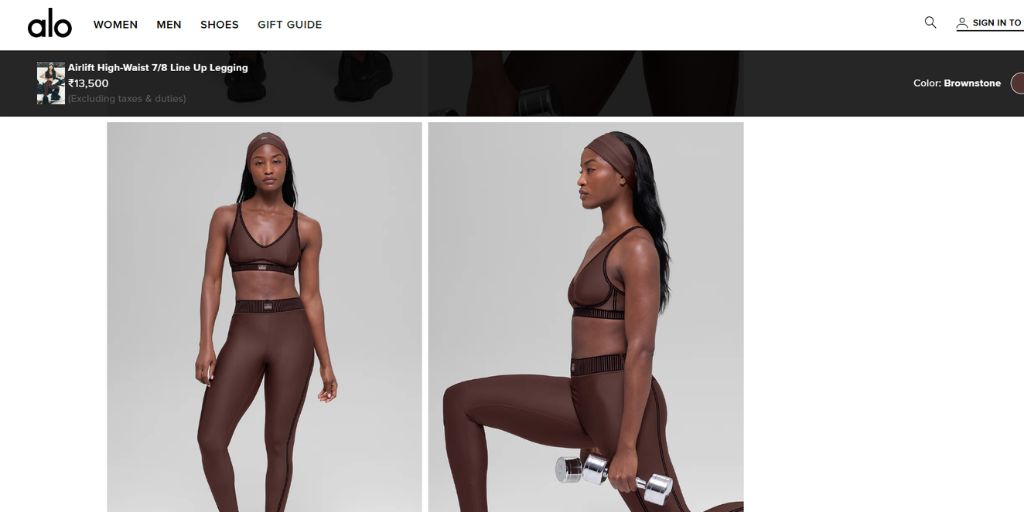
Not all ecommerce product images work for all audiences. The images that convert millennial fashion shoppers won’t convert baby boomer gardeners.
That is why it is important to understand your specific audience and optimize your eCommerce images.
Your ultimate goal should be to mirror your target customer’s identity, aspirations, and preferences. When shoppers see themselves reflected in your imagery, they connect emotionally with your brand.
E-commerce sites matching customer demographics see 38% higher conversion rates.
Hence if your product image is generic and not connecting with your customers, you are losing out on ecommerce conversion rate optimization opportunities.
8. Add product images to site search
Your site search is a high-intent area. Meaning, people who use it search are actively looking to buy. We know that, yet many eCommerce sites waste this opportunity with text-only results.
BrickHouse Security added images to their search. And the result clearly outperformed expectations. They got a 100% lift in conversion rate among shoppers who use site search.
It’s not just about the search bar. The point here is to understand your customer intent and capitalize on it.
See where your customers are trying to learn about the product. Be there, help them, and showcase your product to be remembered.
Think about your own experience: Would you rather scan a list of text descriptions or quickly look at thumbnails to find what you want? The visual approach is not only faster but also more satisfying from a user experience perspective.
9. Use human photos on landing pages

Human faces are conversion magnets. We’re biologically wired to notice faces, read emotions, and feel connection with other people.
When used strategically on landing pages, human photos can significantly boost conversions.
Landing pages featuring authentic human images convert 48% better than those using generic stock photos.
One of the reasons we observe these benefits is because humans are hardwired to notice faces. From birth, we’re attracted to human faces above almost any other visual stimulus.
Conclusion: Mastering Ecommerce Conversion Rate Optimization Through Images
Ecommerce product images aren’t just decorative elements—they’re your silent salespeople.
From high-quality product shots to authentic user-generated content, every visual element on your site plays a strategic role in building trust and ultimately driving your ecommerce conversion rate.
To get started with these ecommerce images best practices, ensure your images are high-quality, large enough, and show multiple angles. Then layer in context, authenticity, and audience-specific elements that resonate with your customers.
Need help creating professional ecommerce product images at scale? Tools like Autophoto.ai can help you edit and retouching high-quality product photography, making it easier to implement these best practices across your entire product catalog.
Remember, in the absence of a physical shopping experience, your ecommerce product images are the closest thing to letting customers “hold” your products. Make them count for maximum ecommerce conversion rate optimization.